
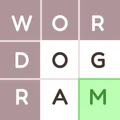
Wordogram asks players to reconstruct famous quotations by filling the missing letters and words in compact grids. Each puzzle begins with a few letters visible at word intersections, leaving you to use those clues, the lengths of the words and the developing quotation to work out the rest.
Building a quotation from intersection clues
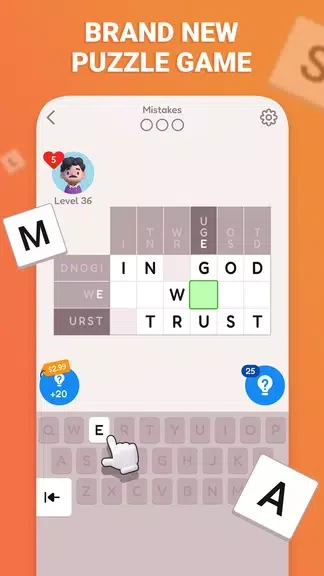
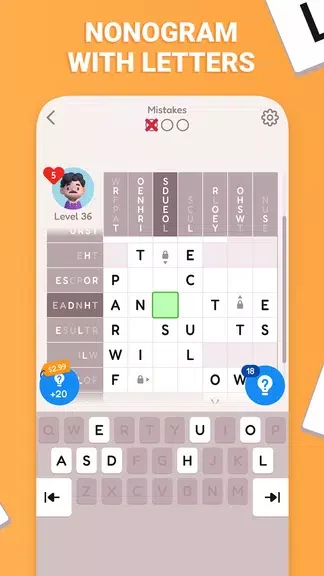
Solving involves looking at how words fit together rather than treating each blank separately. A visible letter may narrow the possibilities for more than one word, while a partly completed phrase can provide context for the remaining gaps. Once a grid is solved, the game displays the complete quotation. The puzzles vary in length and complexity, so the amount of deduction required changes as you move through them.
Entering letters and checking guesses
You select a cell by tapping it, then enter letters using the on-screen letter choices or adaptive keyboard. An undo control lets you backtrack if a guess does not fit. The grid also provides visual feedback: correct letters are highlighted, and inconsistencies are flagged. When a difficult gap holds up progress, a hint can reveal one letter or identify a word boundary. These tools support the same central task of finding words that fit both the grid and the quotation.
Moving through puzzles and challenges
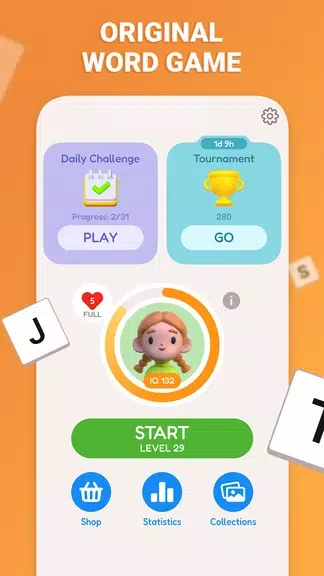
The puzzles follow a sequence of increasing difficulty. Earlier grids use more revealed letters and more familiar phrasing; later ones provide fewer letter clues and less predictable wording. Completed levels are tracked, and progress is saved locally so an unfinished puzzle can be resumed. Optional challenge modes change the conditions by limiting hints or adding a time limit. A previously solved grid can also be revisited, including as a way to try completing it faster or under a challenge mode.
Reading and navigation options
The presentation uses high-contrast tiles, legible text and a small animation when letters settle into place. Light and dark backgrounds, tile colors, font size and spacing can be adjusted. The interface places hints, undo and puzzle navigation close to the grid. It also provides a colorblind-friendly palette, scalable text, screen-reader support for basic navigation and announcements for key events. A short guided tutorial introduces the mechanics and tools before the first full grid.
Playing away from a connection
The core puzzles work without an internet connection. Puzzle progress is stored on the device, connecting that offline play with the ability to leave an unfinished grid and return to it later.