

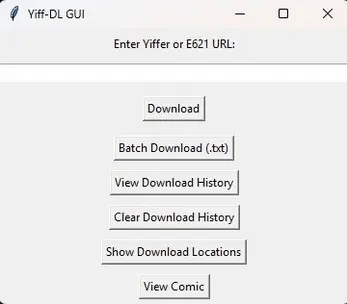
tailspace.com comic downloader provides a straightforward method for Android users to obtain complete comic collections and store them locally for reading without an internet connection. This approach benefits enthusiasts who prefer maintaining personal archives of web-based comics in a direct and efficient manner. The tool processes lists of comics through text file inputs to handle multiple downloads in sequence, placing the resulting files straight into the standard Downloads directory on the device. A simple viewer built into the application allows navigation through pages using keyboard arrows, while a log of previous downloads enables quick access to earlier acquisitions.
Batch processing from text files
The application accepts text files that list comic sources, allowing several titles or arcs to be queued and retrieved together. This method reduces the need for individual manual entries and supports collecting longer runs or multiple series in one operation.
Local storage and built-in viewer
Downloaded comics remain in the device Downloads folder, giving users direct control over the files without reliance on external services. The integrated viewer opens these local files for page-by-page reading, using arrow-key controls for navigation and keeping the entire process within the app.
Download history for quick retrieval
A record of completed downloads is maintained so that previously saved comics can be located and reopened without searching the file system manually. This history works together with the local storage approach to support ongoing archive management.
Limitations to consider
The application saves files only to the local Downloads folder and does not include cloud synchronization. Development focus remains on the Android version, while any related Windows release may see reduced or discontinued updates.