

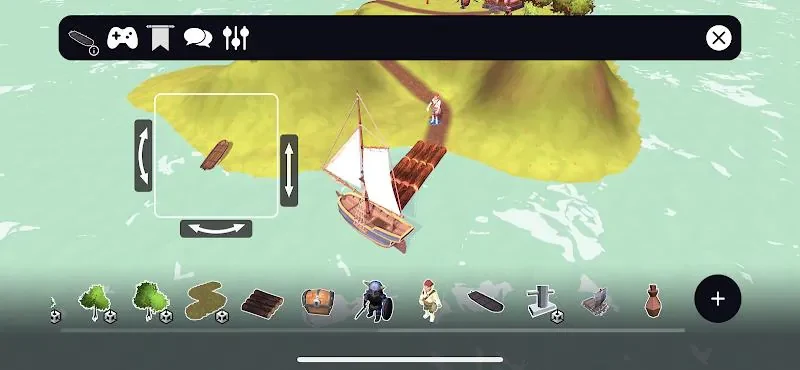
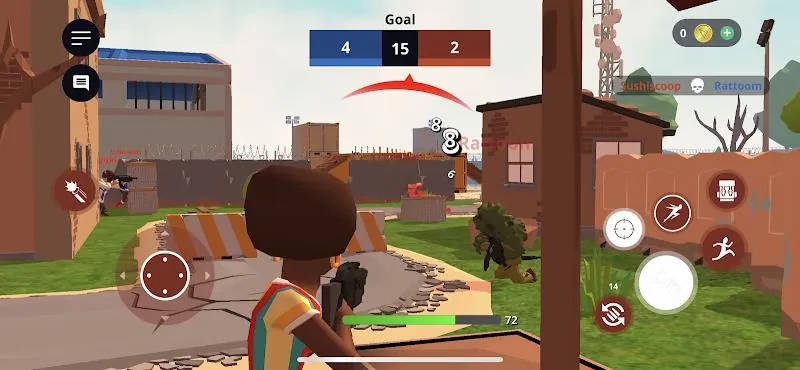
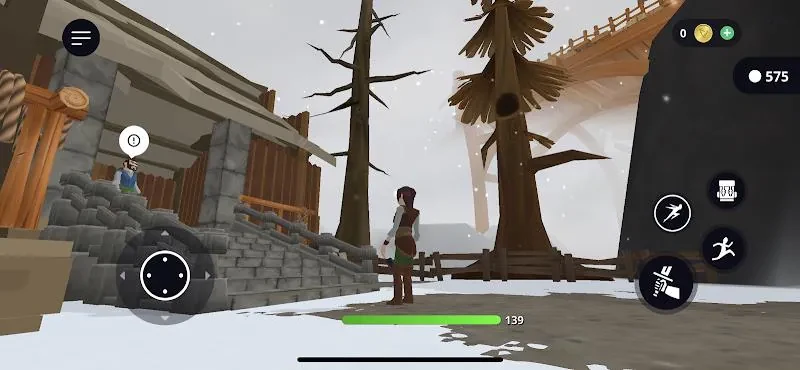
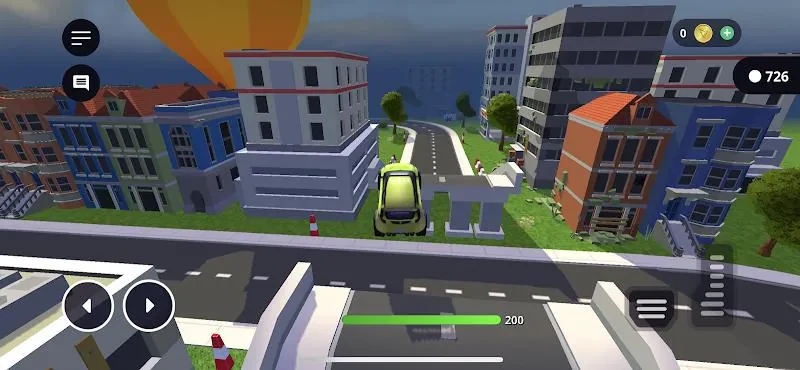
Struckd 3D Game Creator is a hands-on platform for designing, building and sharing 3D game worlds without writing code. It addresses the challenge of turning a game idea into a playable level by combining a visual drag-and-drop editor, reusable templates, guided tutorials and a large asset library. Creators can assemble puzzle stages, obstacle courses, role-playing scenes and other interactive experiences, then test them directly in the app. The clearest benefit is a play-first workflow that lets beginners and hobbyists focus on level design and gameplay instead of technical setup.
How does the visual gameplay system work?
The app uses modular gameplay logic based on connecting behaviors and triggers to objects in a level. Movement, collisions, physics interactions and simple artificial intelligence behaviors are exposed through visual properties, allowing creators to build platforming challenges, timed puzzles and enemy encounters without scripting. Objectives can include collecting items, reaching a goal or earning a score, and several objectives can be combined into multi-stage levels.
Reusable prefabs help creators place common gameplay patterns across different parts of a project. This makes it possible to keep systems consistent while testing and refining a level. The editor also supports dialogue triggers, simple event sequences and adjustments to values such as health, speed and attack strength, giving users control over both challenge and behavior.
What can creators control in the mobile editor?
Struckd 3D Game Creator provides touch-oriented controls for placing, scaling and rotating objects on mobile devices. Snap-to-grid options, alignment helpers and transform handles support more precise layouts on a small screen. Camera controls include orbit, pan and zoom, with adjustable sensitivity for navigating a scene and positioning objects.
Playtest mode lets creators run a level immediately and move between editing and testing without leaving the app. This is useful for checking object placement, collision behavior, goal triggers and other gameplay systems as a project develops. Scenes or rooms can be connected with spawn points and checkpoints, while goal triggers identify when a level is complete.
How do the tutorials and templates support learning?
Learning is organized around tiered tutorials and design milestones rather than a complex reward economy. Step-by-step lessons introduce basic creation concepts, after which intermediate templates demonstrate features such as enemy patterns, dialogue triggers and character-stat adjustments. Achievement tracking indicates which creation skills have been tried and which features remain to explore.
The templates increase in complexity, allowing a creator to move from a single-scene experiment to a larger multi-room level at a manageable pace. The guided structure can also support younger users or people new to game design by dividing unfamiliar concepts into smaller tasks. Readable interface layouts, clear in-editor labels and adjustable control sensitivity further support this approach.
What kinds of worlds and level structures are possible?
The asset library includes stylized characters, vehicles, props and environmental pieces that can be combined into different visual themes. Lighting presets and environmental effects provide quick ways to establish a mood. The available kits and art packs are broad enough to support varied settings rather than one fixed visual style.
Levels can be organized as separate scenes or rooms connected through spawn points and checkpoints. Creators can test sections independently before combining them into a longer experience. Customization extends beyond appearance: physics parameters can be adjusted to change how objects respond to player input, while dialogues and event sequences can add narrative elements. These tools support projects such as puzzle stages, obstacle courses, enemy-focused encounters and role-playing scenes.
Can levels be played offline and shared with others?
Most creation and single-player play features work offline, so users can build and test levels without a constant network connection. Online access is required for sharing or collaborating with others. Sharing and multiplayer options allow creators to invite friends to try their levels and provide feedback, while community visibility is based on likes and plays rather than algorithm-driven rankings.
The ability to remix community levels and use a large free asset library gives creators reasons to revisit projects and experiment with different mechanics. However, polished large-scale games require time and iteration, and more complex systems have a learning curve. Developers who need full source-code control may find the visual toolset restrictive for some custom systems. Struckd 3D Game Creator is therefore aimed at beginners, hobbyists, learners and creators who want to prototype interactive ideas or share compact 3D experiences through an accessible visual workflow.