
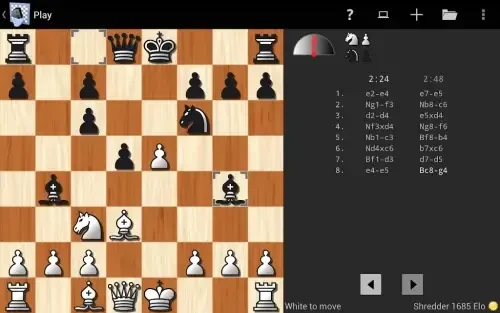
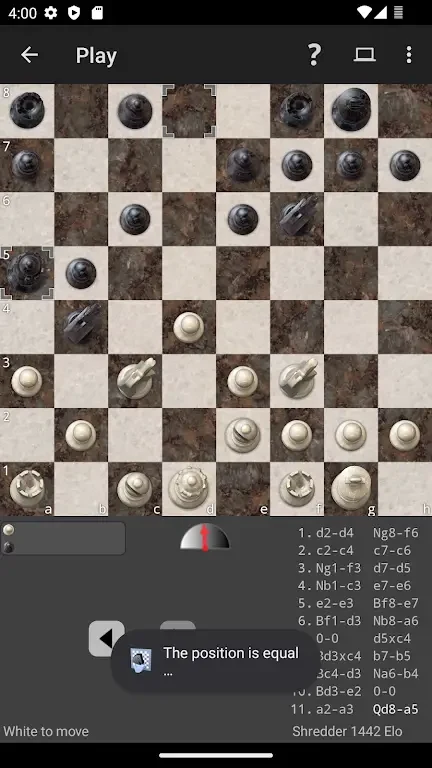
Shredder Chess puts an adjustable chess engine, training tools, and a library of 1,000 puzzles on your Android phone or tablet. It helps players practice openings, tactics, endgames, and complete games while receiving feedback about their decisions. The app can adapt its playing strength, provide hints and explanations, and work without an internet connection, making it useful for independent study at home or during short practice sessions away from a network. Its combination of play, analysis, and structured challenges keeps improvement connected to the positions you actually encounter.
Solo games with adjustable difficulty
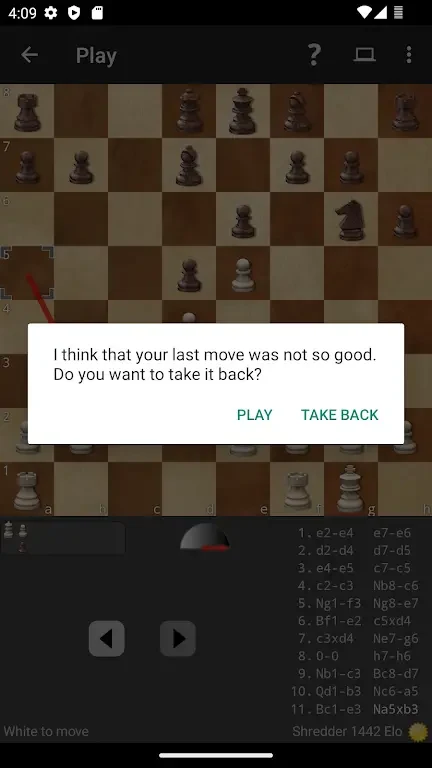
The main playing experience is a single-player game against an engine whose strength and style can be adjusted. At lower levels, it can make more human-like mistakes, while higher settings provide a more demanding opponent. You can play a full game, start a shorter practice session, or switch to puzzle mode. Different time controls give you a way to work on fast decisions or take more time with each position. After moves, the app can provide immediate feedback, helping you understand why a variation succeeds or why a plan did not work instead of simply showing the result.
Coaching and post-game analysis
Shredder Chess turns played games into study material through its tutor and analysis features. Coaching can identify tactical mistakes, mark blunders, and offer short suggestions for improvement. Analysis includes principal variation lines and lets you examine candidate moves so you can compare alternatives. Tutor mode explains why a recommended move is stronger and can track recurring motifs from your games. In endgame positions, the evaluation can point out winning methods or drawing resources, giving you a practical way to review technique rather than only checking the final score.
Puzzles and structured practice
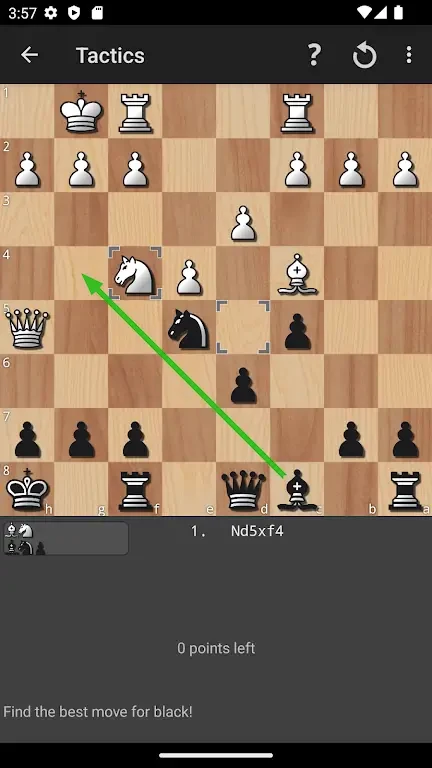
The 1,000-puzzle library includes tactical and positional challenges arranged in difficulty bands. You can solve sets in sequence when you want a gradual route through the material, or randomize them for a shorter and less predictable session. Timed routines test both speed and accuracy. The app also records solved puzzles and analyzed games, estimates your Elo automatically, and keeps game statistics. Based on recent performance, it recommends puzzle sets and identifies recurring weaknesses, which can help organize practice without creating a separate training plan manually.
Touch controls and study workspace
The interface is designed for touch screens, with drag-and-drop and tap-to-move controls. Contextual menus provide access to takebacks, hints, and variation exploration, while the on-screen move list and evaluation bar make the engine's assessment easier to follow. You can change the board orientation, notation display, and move highlighting from the settings panel. During analysis, comments can appear inline or in a separate panel, and engine verbosity can be adjusted for a faster practice view or a more detailed study workspace.
Board appearance and accessibility
Multiple board themes and piece sets let you choose a visual style and contrast level that is comfortable to read. Color options include palettes intended to be easier for colorblind users. Larger piece sizes, adjustable font scaling, and contrasting themes provide additional visibility choices on both phones and tablets. These settings allow the same app to serve quick games, detailed analysis, and longer study sessions without requiring one fixed presentation.
Offline use and device settings
Shredder Chess works offline, so its games, puzzles, and training activities do not depend on a network connection. Performance settings let you reduce the engine's calculation depth on older devices, which can help preserve battery and maintain responsive interaction. The app is optimized for phones and tablets, making it suitable for portable practice while still providing enough analysis controls for more involved review.
Who may find it useful
The app is centered on solo improvement rather than social matchmaking. Newer players can use adjustable difficulty, hints, and guided feedback to build confidence, while experienced players can test ideas against different engine strengths and inspect detailed variations. Human-like engine settings, varied time controls, puzzle recommendations, and repeated analysis provide several ways to return to the app, whether you have only a few minutes or want to examine a complete game and its endgame decisions.