

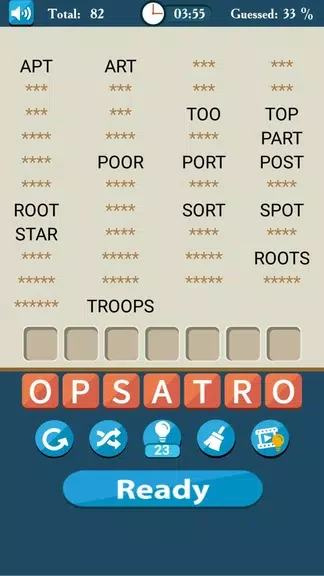
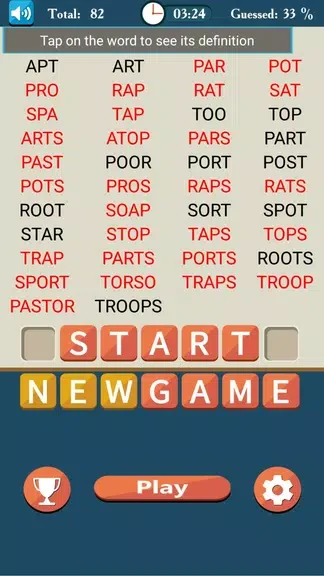
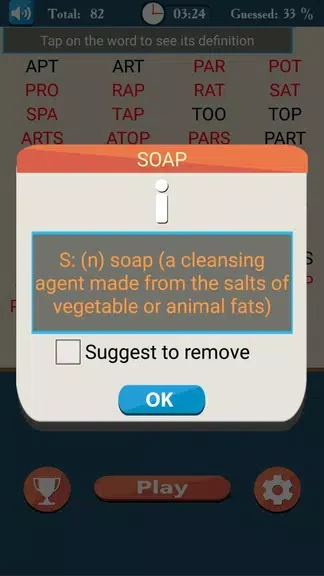
Make Words is a thoughtful word puzzle application designed to challenge players of varying skill levels to build as many valid words as possible from seven given letters. Whether you are looking for a quick diversion during a short break or a focused vocabulary training session, this app provides an engaging environment to test your anagram-solving abilities. By combining relaxed puzzle solving with brisk timed rounds, the application accommodates different play styles while encouraging continuous learning through integrated definitions and hints. The experience is structured to help users improve their spelling and broaden their everyday vocabulary without unnecessary complications.
Core Gameplay and Word Construction Mechanics
The primary mechanic revolves around selecting letters from a pool of seven tiles to form acceptable entries and submitting them to score points. Players tap letters sequentially to build a word, and selections can be cleared instantly using a single tap or a swipe gesture. Common plural forms and conjugations are accepted depending on the chosen dictionary. In timed modes, a visible countdown adds urgency, though the timer automatically pauses when you look up a definition or use a hint. Furthermore, constructing longer words rewards you with bonus seconds, successfully balancing the need for speed with careful, strategic wordcraft.
Progressive Levels and Extensive Puzzle Variety
The application organizes its content into structured progressive levels and topic packs that gradually scale in difficulty and thematic variety. Early levels introduce common vocabulary and shorter words to help build user confidence, whereas higher tiers present denser letter combinations that encourage advanced, high-scoring solutions. Featuring over 15,000 distinct puzzles, the system ensures that boards are rarely repeated during a single playthrough. Level progression is carefully paced so that new word sets and difficulty tiers unlock naturally as players demonstrate steady improvement.
Dictionaries and Personalization Settings
To accommodate different skill levels and learning objectives, Make Words lets you choose between three distinct dictionary options. The Basic dictionary is suited for younger learners and children, the Standard dictionary covers everyday vocabulary, and the Extended dictionary is tailored for advanced solvers or crossword enthusiasts. Beyond vocabulary adjustments, difficulty settings allow you to control time limits and allowable entry density. Visual customization features enable you to switch between compact and spacious tile layouts and modify color accents, making the software adaptable for classrooms, family play, or solo study.
The user interface emphasizes clarity by utilizing large readable tiles, high-contrast text, and an uncluttered background to eliminate distractions. Accessibility provisions include adjustable text sizes, color-contrast modes, and an option to deactivate the timer entirely for stress-free play. Definitions and hints are written in accessible language to assist non-native speakers. Additionally, an automatic save-and-resume function preserves your board state locally so you can seamlessly pick up where you left off, and offline play is fully supported for single-player puzzles without requiring a constant network connection.