

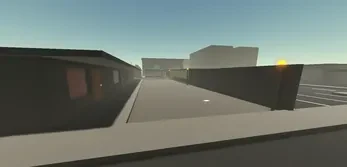
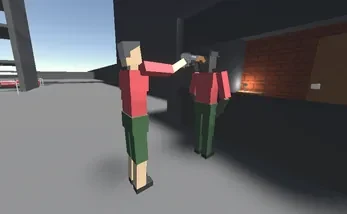
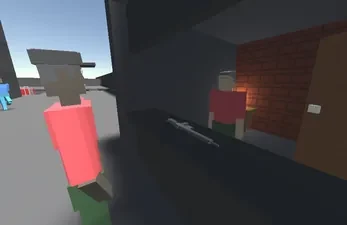
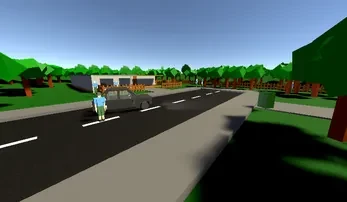
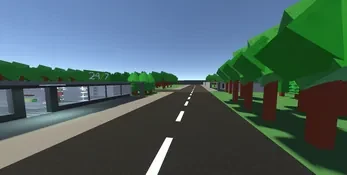
Kinebox is an open-world, physics-driven sandbox shooter that lets players experiment with weapons, machines, environments, and NPC behavior. Its main benefit is the ability to move from direct combat into hands-on construction: you can manually operate firearms, assemble vehicles and other contraptions, then test them across large, open-ended maps. Rather than restricting play to a fixed sequence of missions, the game supports self-directed experiments, environmental puzzles, sandbox objectives, and challenge scenarios. The combination of tactile controls and a level editor gives players room to investigate how objects, forces, and improvised designs affect one another.
Physics-based combat and manual weapon handling
The combat system is built around a physics simulation in which bullets, explosions, debris, vehicles, and other moving parts can influence the surrounding environment. A damaged wall may become useful cover, while a rolling vehicle can change the shape of an encounter and create a moving hazard. This makes the battlefield more than a static backdrop, because objects and forces can alter the situation as it develops.
Weapons are intended to feel hands-on rather than fully abstract. Reloading can involve handling magazines and bolt actions through motion-based or button-driven controls, with different weapon types offering distinct interactions. NPCs respond to stimuli instead of following only rigid sequences. They may take cover, retreat, or improvise, so combat can develop in less predictable ways. These systems work together to make experimentation part of the encounter: changing the environment, weapon choice, or surrounding machinery can produce a different result.
Building machines and designing scenarios
The built-in level creator is a central part of Kinebox. Players can assemble maps, position enemy patrols, and construct machines through a modular parts system. Engines, wheels, linkages, and weapon mounts can be connected into functioning vehicles or more elaborate chain-reaction devices. The placement and constraint workflow is designed for testing relationships between parts, allowing a simple machine to become a larger contraption as more components are added.
Creation is not limited to machinery. Loadouts can be adjusted, and visual, cosmetic, and functional parts can be combined to pursue different appearance or performance goals. Players can also seed maps with their own NPC placements and contraptions before testing a scenario. This connects the editor to the shooter mechanics: a design can be built, placed into a map, exposed to combat conditions, and revised after observing how it performs.
Open-ended maps and challenge activities
Maps are structured as playgrounds rather than linear missions. Alongside environmental puzzles, they contain sandbox objectives and optional situations that can be adapted with player-created elements. Challenge templates include time-trial obstacle courses and scenarios with defined goals that test combat or engineering skills. The same area can therefore support different kinds of play, from building a machine to navigating an obstacle course or creating a situation involving enemy patrols.
Feedback from challenges focuses on practical measurements such as build stability, damage distribution, and time to completion. These details can help identify why a design failed and suggest what to change in the next attempt. Replay value comes from revising a construction, selecting another arsenal, repurposing a map, or changing the conditions around a scenario. Since physics interactions can vary as objects are moved or damaged, repeated testing can lead to different results.
Controls, progression, and accessibility
Kinebox supports touch and controller inputs, with remappable bindings for players who want to change the control layout. Input sensitivity can be adjusted, and simplified interface options are available for a less demanding presentation. Optional assists reduce some of the mechanical complexity for newcomers, while experienced players can disable them for a more involved approach to the core interactions.
Progression is tied to gameplay milestones and in-game tasks rather than competitive ladders. Completing challenges and exploring maps can unlock additional building components, weapon variants, modifications, and blueprints. The tutorial suite introduces the mechanics gradually, while save slots help manage different creations. An exportable blueprint system supports local handling and sharing of designs, according to the supplied information.
Graphics, performance, and offline play
The visual style favors practical detail that communicates how objects may behave when pushed, damaged, or combined. Lighting and particle effects are used to keep debris and explosions readable during busy moments. Performance options allow graphical quality, physics fidelity, and object density to be adjusted independently. This gives players a way to reduce simulation or visual demands on lower-end Android hardware, while higher-end devices can use richer settings.
The core single-player experience can be played offline, allowing players to build, test, and explore without an internet connection. The game is aimed at people who enjoy tinkering, emergent behavior, and repeated experimentation, but it also has considerations for newcomers. Manual mechanics and the editor may take time to learn, and physics-heavy scenarios can become chaotic or unstable. The content includes mature themes and violent interactions, so it may not suit every player.