

YTDLnis Downloader is an Android tool for saving audio and video from internet websites when you need control over the files you download. It supports more than 1,000 websites, including YouTube, and lets you choose options such as resolution, format, subtitles, metadata, and chapters for each download.
When downloading from different websites
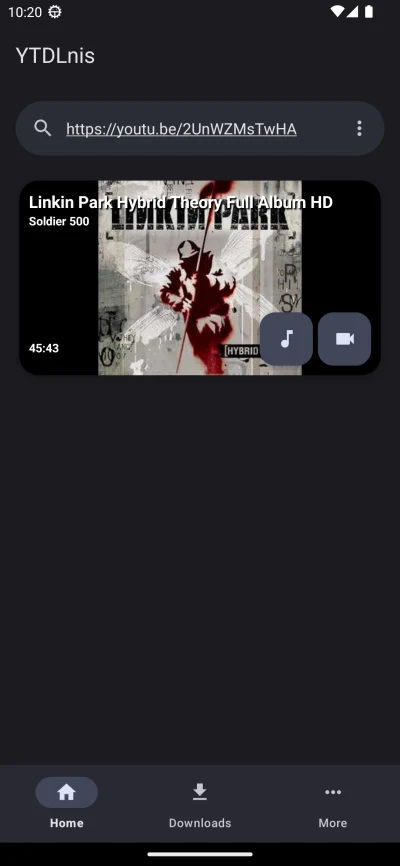
The app is designed for media from a broad range of platforms rather than a single website. The source lists support for services including YouTube, Facebook, Instagram, TikTok, Vimeo, Dailymotion, SoundCloud, and Spotify, while also describing compatibility with more than 1,000 websites overall. This makes the same download workflow available for both audio and video sources across supported platforms.
Downloads can cover a single file or an entire playlist. The app also provides a built-in YouTube search function, so users can look for content within the application and choose whether to download an individual video or a playlist.
When the download needs specific media settings
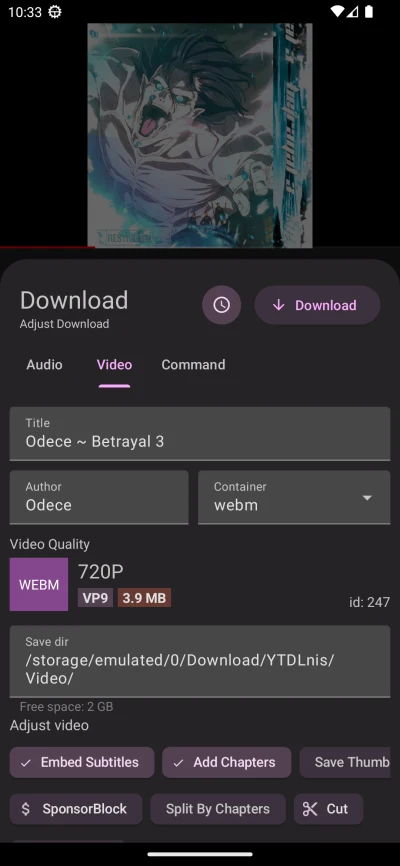
YTDLnis Downloader allows the user to select the resolution and output format instead of treating every download the same way. The source lists formats such as MP4, MP3, WEBM, M4A, OGG, FLAC, and WAV. The available choices can therefore be used to prepare either video files or audio files according to the intended result.
Additional download details can be included in the output. Users can choose whether to embed subtitles, metadata, and chapters, and can adjust metadata such as a file's title and author. These controls are useful when downloaded media needs clearer identification or additional information inside the file.
When several downloads need organizing
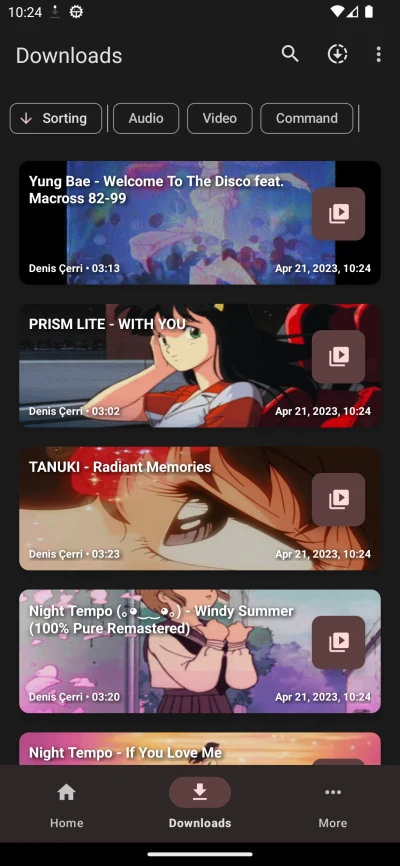
The download manager supports queues for multiple items, allowing several files to be arranged rather than started as unrelated tasks. Downloads can also be scheduled for a selected date and time. This provides a way to plan media transfers around other activities that may require bandwidth, based on the scheduling controls described by the source.
The app also supports splitting items into separate files according to chapters. This can be used with longer videos or lectures when chapter-based files are more practical than one continuous file.
When editing or processing downloaded video
YTDLnis Downloader includes tools for cutting video according to specific timestamps or video chapters. The source also describes removing sponsor-related chapters from downloads. These processing options let users alter the downloaded result before organizing or using the file.
Subtitles, metadata, and chapters can be embedded during processing, while chapter-based splitting provides a separate way to organize longer content. Together, these settings focus on shaping the downloaded file rather than only transferring it from a website.
When advanced customization is needed
Users who want more control over the download process can work with custom commands and templates. The source describes this as a terminal-like environment, making the option suited to people who prefer to personalize settings beyond the standard interface. The application is open-source and uses yt-dlp, which the source identifies as the program handling support for changes and fixes across websites and platforms.
When sharing media from another Android app
YTDLnis Downloader does not require root access according to the supplied description. The app can also be selected from the Android share menu through a bottom-card option, allowing a shared video or audio link from an app that supports sharing to be sent to YTDLnis without opening it first. Installation from outside the usual app store may require enabling installation from unknown sources in Android settings and following the on-screen instructions.