

XShare- Transfer & Share files is a file transfer and sharing app for Android. It is intended for moving files between two nearby devices when you want an alternative to Bluetooth, and the source states that transfers work without an internet connection or data cables.
Sending files to a nearby phone
The developer describes the app as supporting high-speed transfers and as a faster, more convenient option than Bluetooth. Both devices need the app installed, and the source lists Wi-Fi Direct support as a requirement. The usage steps also advise keeping both phones nearby during the transfer.
Pairing the two devices
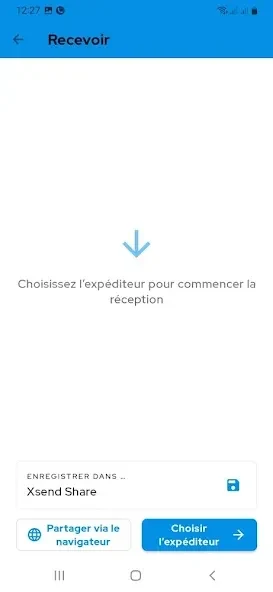
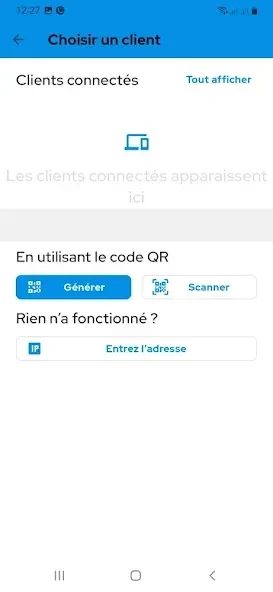
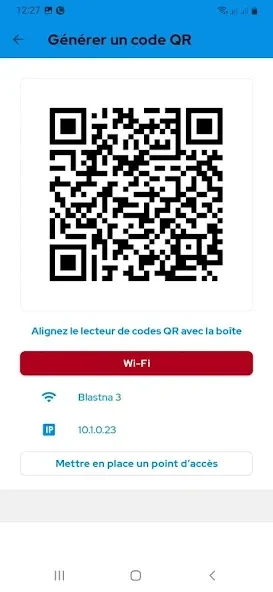
After installing the app on both phones, open it and set one device to Send and the other to Receive. When prompted, allow Bluetooth and Wi-Fi access. You can then use one-tap connect or scan a QR code to pair the devices.
Choosing files, folders, and batches
The built-in file manager lets you browse storage and select apps, photos, videos, documents, ZIP archives, or folders to send. The source says the app supports a wide range of file formats, including very large files, and allows several files or folders to be sent at once. Before starting, confirm the receiver name shown on the other device.
Completing and checking a transfer
Keep the app open until the progress finishes. After completion, open the received files to check them, then close the session and disconnect if needed. The same file manager can also be used to find and delete files on the device.
Security and interface claims
The developer's description states that transfers are encrypted and that the interface has been redesigned. These are vendor statements, and this profile does not independently verify them.