

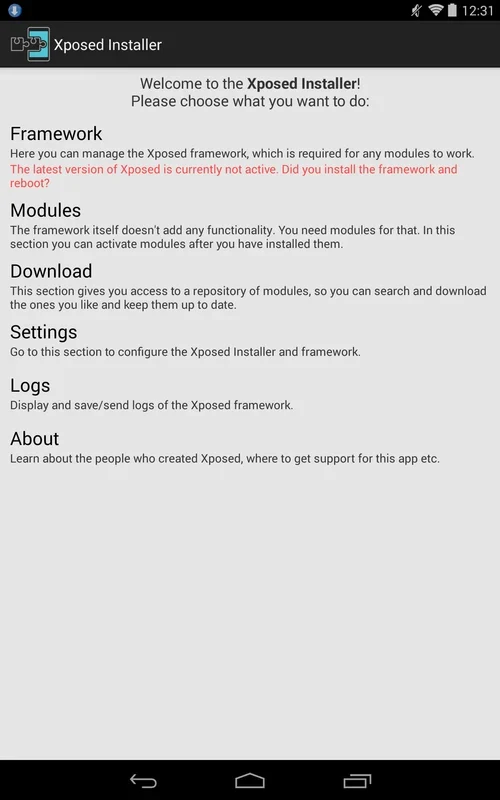
Xposed Installer is an Android customization tool for people who want to change specific parts of their device rather than replace its firmware with a custom ROM. It helps install the framework needed by Xposed modules, shows the framework’s status, and provides access to modules for targeted changes. Depending on the module, those changes can affect the interface, add a function, or alter how an app behaves. The main benefit is control over which areas to modify: users can select modules for the changes they want instead of making a broader firmware replacement.
What needs to happen before you can use modules?
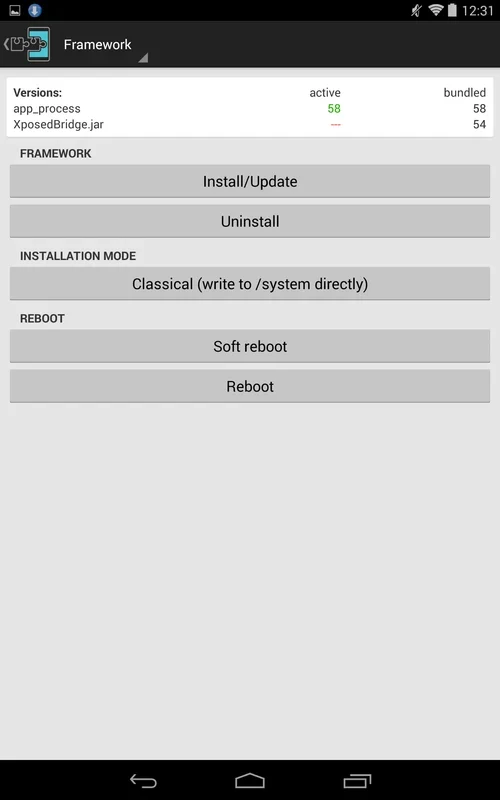
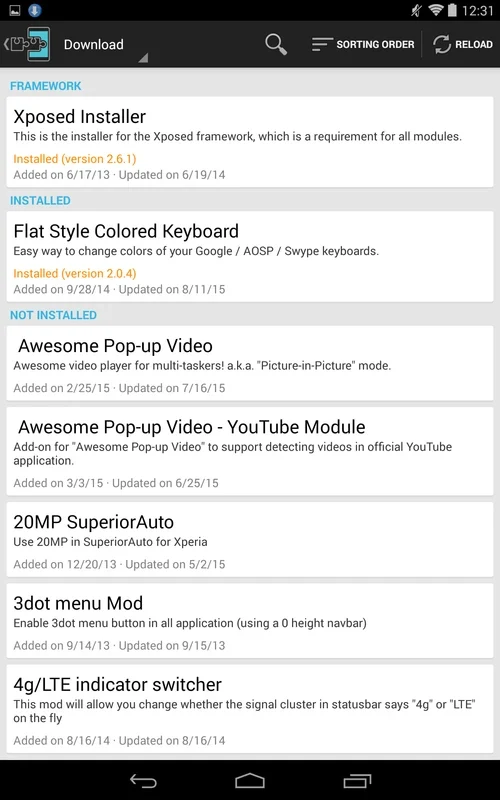
Modules depend on the Xposed framework. Xposed Installer assists with framework installation and updates and displays its current status. The source describes viewing available modules after installing the framework and rebooting the device. Before choosing a module, check that it supports your Android version; the supplied information does not establish compatibility for any particular device or Android release.
What kinds of changes can modules make?
Modules can target different parts of the system or individual applications. The examples given include changing the status bar or navigation bar, adjusting keyboard colors, adding functions such as screen recording or pie controls, and disabling permissions for installed apps. Which changes are available depends on the modules you choose. Xposed Installer presents module names and descriptions so users can identify options relevant to what they want to adjust.
Can you change or remove a modification later?
Multiple modules can be installed to address different areas without replacing the entire firmware. Xposed Installer supports updating or changing modules, and the source says a module can be disabled if it malfunctions. Removing a module is also described as a way to undo a change that is no longer wanted. These controls are useful for making targeted adjustments, but they should not be taken as a guarantee that every modification will be trouble-free.
Who is Xposed Installer suited to?
It is aimed at users who want more control over Android’s appearance or behavior and are prepared to choose modules carefully. The supplied material notes that the tool requires background knowledge of Android devices and that navigation can be confusing. It also warns that careless modifications may disrupt the operating system or lead to data leaks. Those cautions matter when deciding whether module-based customization fits your needs, particularly if you are unfamiliar with the changes a module makes.