

Xingtu is a versatile photo editing application designed to provide a one-stop image editing experience with a strong focus on portrait enhancement. The app offers a vast library of filters, AI-powered retouching tools, and advanced adjustments that help users achieve polished visual results directly from their mobile devices. Whether you are looking to smooth skin tones, apply creative styles, or fine-tune specific facial features, Xingtu provides a comprehensive suite of tools built for straightforward photo modification.
How do you get started with editing photos in Xingtu?
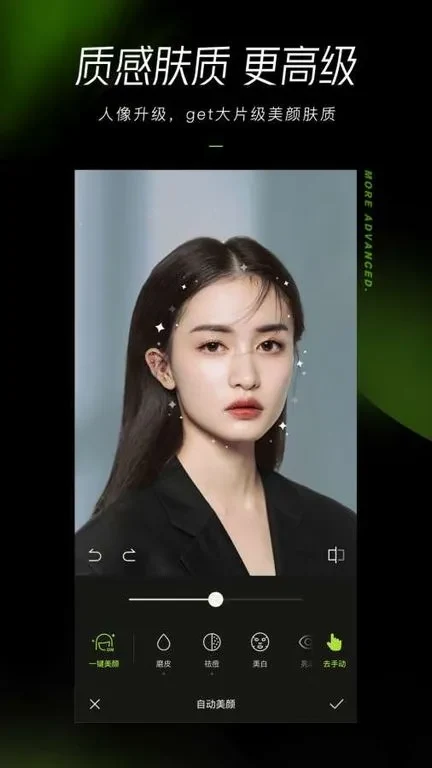
When you first open Xingtu, the app will prompt you to grant storage permissions so it can access the images stored on your device. From there, you can tap the Album option to import an existing photo or choose Camera to capture a new picture. Once your image is loaded, you can select the Beautify feature for one-click skin adjustments, or utilize sliders to modify brightness, contrast, and exposure. Users can make small initial adjustments and then fine-tune details according to the specific lighting and mood of the scene.
What specific portrait and facial adjustment tools are available?
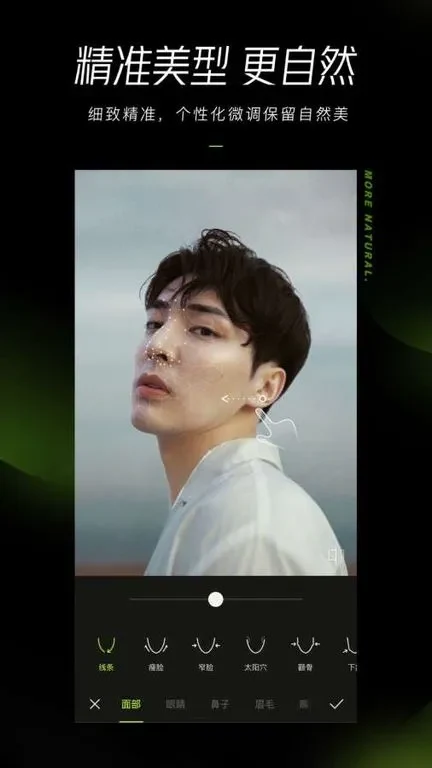
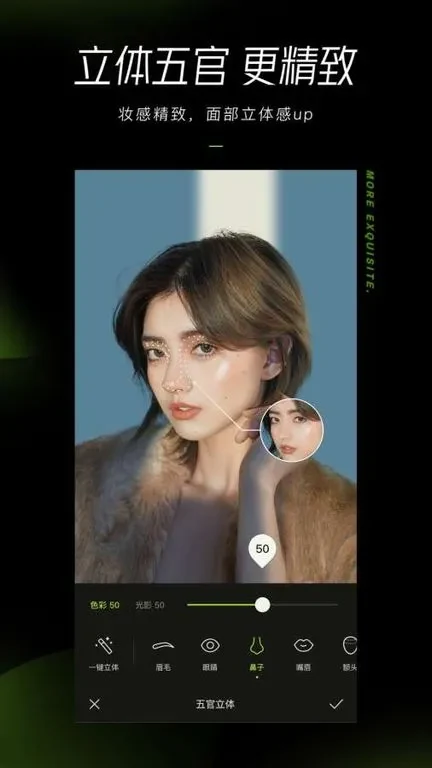
Xingtu includes targeted tools designed to preserve individual features while improving overall facial appearance. The app features a one-click skin beautification function that aims to create a natural skin base without a heavy white cast. For more detailed changes, users can apply 3D facial feature adjustments, which enhance the three-dimensionality of features by altering light and shadow effects. These tools allow you to customize makeup looks and make precise micro-adjustments tailored to fit individual face shapes.
What should users know about the app interface and potential limitations?
The application is built with a simple and intuitive user interface that offers free access to a wealth of editing features, making basic functions accessible to beginners. However, users should note a few documented characteristics of the experience. Advertisements may occasionally interrupt the workflow, and the app lacks built-in tutorials or detailed instructions for its more advanced tools. Additionally, the software is currently only available in Chinese.
Who will find this photo editing application most useful?
Xingtu is well-suited for individuals looking for a robust, one-stop solution for mobile portrait editing and creative photo styling without needing multiple applications. Photographers, social media enthusiasts, and casual users who want access to AI retouching, custom filters, and detailed facial adjustments will find its diverse toolset practical for daily image enhancement.