


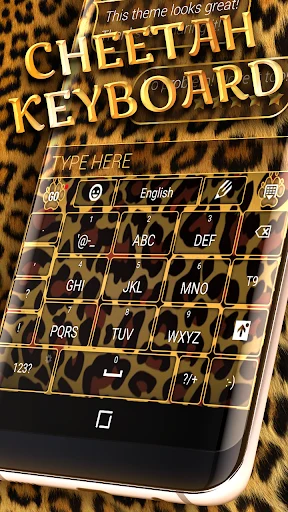
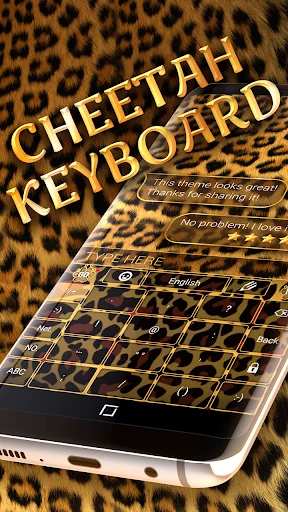

Wild Keyboard Theme is an Android keyboard theme app that combines visual customization with tools for everyday typing. It addresses two common needs: changing how a keyboard looks and providing input features such as gesture typing and spelling correction. The app supports more than 150 languages, and its customization options include colors, wallpapers, sounds, effects, fonts, and layouts. Users can apply the theme from the app’s preview or Apply button, then confirm with Done.
What can you change about the keyboard’s appearance?
The app offers more than 6,000 colorful themes and lets users create their own design. Customization options cover keyboard colors, wallpapers, sounds, effects, fonts, and layouts, so the appearance can be adjusted across several elements rather than only choosing a preset theme.
The source describes a dark background with bright accents and keys designed to be recognizable. These visual details may suit users looking for a more colorful keyboard, while the available design controls allow changes to the overall look.
Which typing and language tools are included?
Wild Keyboard Theme supports over 150 languages and includes slide input, also described as gesture input, for typing by moving across the keyboard. Contextual prediction can automatically correct spelling errors, typos, and capitalization mistakes. Cloud prediction is also listed as a way to enhance next-word and other predictions.
The app additionally provides dictionaries, GIFs, stickers, emojis, text emoticons, and a clipboard for quick copying and pasting. These features support different kinds of messages and make copied text available for reuse.
How do you apply the theme?
Open Wild Keyboard Theme and select either the Apply button or the theme’s preview image. The instructions say to press Done afterward to finish applying it. This gives users a direct way to move from the app’s preview to the selected keyboard theme.
Which Android devices does the listing specify?
The listed minimum operating system is Android 4.0.3. The source does not provide a more detailed device compatibility list, so check the requirements shown for the download you are considering.
Who may find Wild Keyboard Theme useful?
It may suit Android users who want to personalize their keyboard and also use multilingual support, gesture input, prediction, or quick-access typing extras. Those mainly seeking a particular visual style can choose from the supplied themes or adjust the listed design elements themselves.