
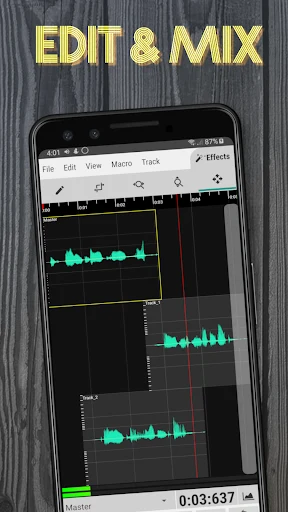
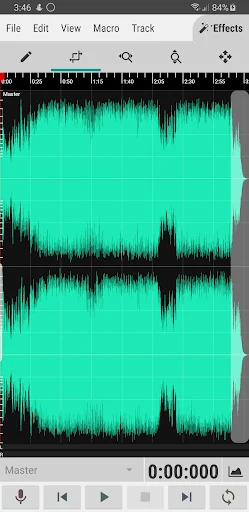
WaveEditor is built around recording and editing sound on Android. When you open the app, you can either choose an audio file already stored on your device or record a voice note directly. In both cases, the editing view shows the recording as a soundbar with sound waves and a timeline, so you can move through the audio and reach a specific point with precision. Its core purpose is to let you capture a sound, shape it, and export the finished result.
Recording sound on your device
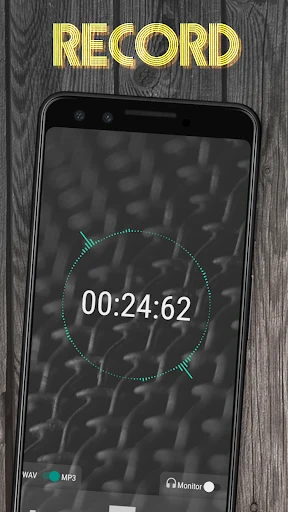
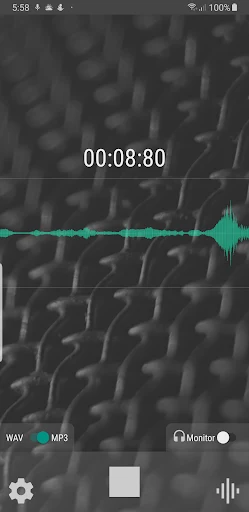
WaveEditor can record through the built-in microphone of your Android device. For recordings that need better quality, the description says you can connect a USB microphone, and the feature list confirms USB microphone support. The app also records standalone or inside the editor, so you can capture audio without leaving your current project.
The description states that recordings are saved automatically. According to the source, this helps you avoid losing data if the application is shut down unexpectedly. The source also presents the recording view as a way to judge a sound visually, noting a color waveform and an amplitude meter that help you identify parts of a recording that need correction.
Importing and converting audio files
If you already have audio files, WaveEditor provides a file-browsing interface for loading them. The description also notes that you can use an external file browser to locate a file and add it to the app. A built-in file browser is listed for both loading and saving files.
The supported import list is extensive and includes 3GP, AAC, AIF, AIFC, AIFF, ALAC, AMR, AU, CAF, FLAC, M4A, MP3, MP4, OGG, PCM, WAV, and several other formats. Recordings can be saved as WAV or MP3, and the export list includes AIFF, CAF, FLAC, M4A, MP3, OGG, PCM, and WAV. A separate batch format conversion utility is also listed, which is designed for converting files between formats outside the editing workflow.
Editing tools and effects
The top menu of the app provides the editing tools. The description names zooming, rotating, and cutting as operations you can apply to the clips you want to change. It also describes macro processes such as fade, reverse, and invert, and it lists atomic sample viewing, selection, and editing for working at a fine level of detail.
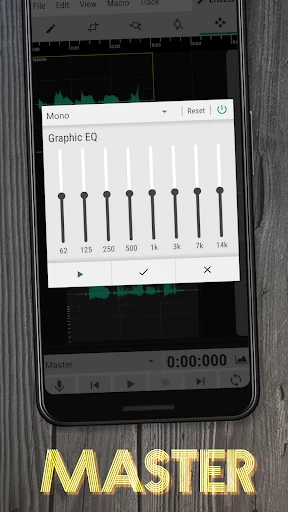
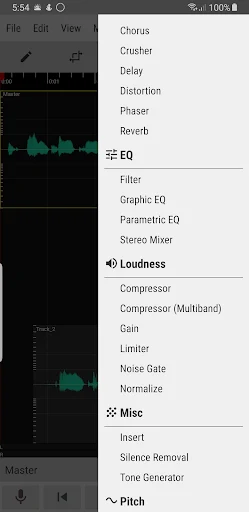
Effects form another part of the editing workflow. The source says you can apply a number of effects at a chosen point in the recording. It also mentions a compressor and a volume limiter, which the description links to making the sound within a file more consistent, and it says you can adjust the pitch of a sound. The listed processing uses 32-bit floating point signal processing.
For corrections, the feature list includes undo and redo as well as copy and paste. These controls are relevant when you are testing changes to a recording and want to revert or reuse a section.
Multi-track mixing and visual analysis
WaveEditor supports multi-track mixing and editing. The About section says you can combine multiple recordings or pieces of music into a single project. The description links this to projects with many layers, such as music production, podcasts, and sound design.
For mixing, the source says you can control individual track settings such as volume and panning. It presents this as a way to balance a mix across different types of production. The app also includes visual analysis tools: an amplitude meter, an oscilloscope, FFT, a waterfall view, a spectrogram, and a vectorscope. These tools display different views of a signal, which can help when you are examining a recording in more detail.
The Premium version
The description says the free version can cover a practical editing process. It presents the Premium version as an upgrade and lists three documented benefits: a workspace without advertisements, a broader collection of effects, and a recorder widget that the source describes as making audio capture quick and simple. Because the supplied information does not clearly describe the exact purchase terms, this article does not list any prices or subscription details.
Requirements and limitations
The supplied information does not provide a usable minimum Android version, so compatibility with a specific device should be checked separately. The USB microphone option depends on an external microphone that you connect to the device. The format lists in the source are documented feature details, and this profile describes them as listed in the supplied information for version 1.122. The app is classified in the Media and Video category.
Overall, WaveEditor is best understood as a recording and editing tool for Android users who want to capture audio, import existing files, arrange tracks, apply editing operations, and export results in common audio formats. The source describes its features in promotional terms, so the practical details above focus on the functions that the description names directly.