


火箭vpn加速器 is a VPN app for Android designed to route your internet connection through remote servers. According to its listing, it is intended for people who want to browse from different locations while keeping their network activity more private. The sections below describe the situations the listing supports and the conditions it attaches to them.
Starting a connection without signing up
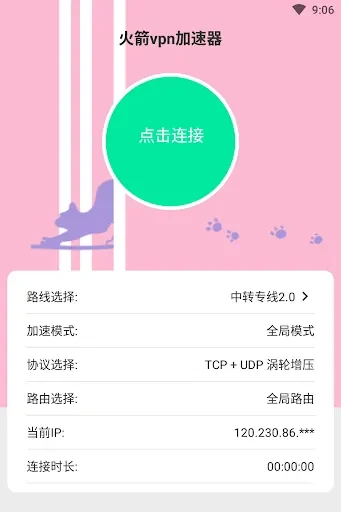
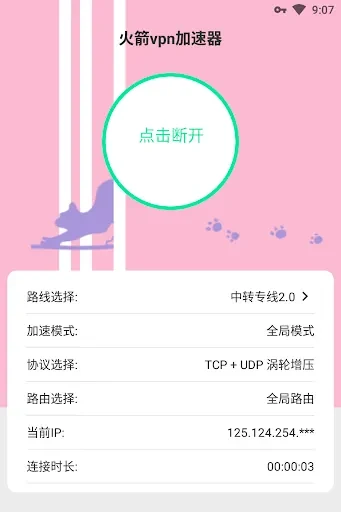
The listing says the app requires no registration, so there is no account to create before use. The description also presents the one-click connection as the main way to start a session, which suits a user who wants to turn on a VPN quickly rather than configure settings first. Because the listing describes the interface as clean and straightforward, the connection step is the core interaction a new user would encounter.
Choosing a server location
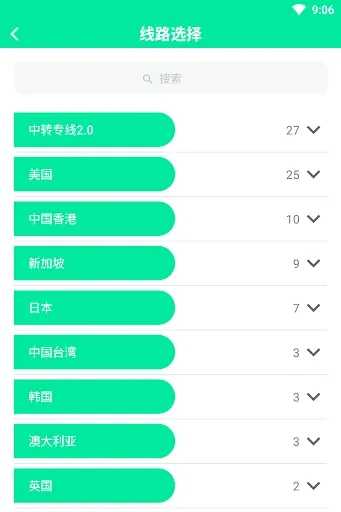
The app provides server nodes in several locations, which the listing names as Hong Kong, the United States, South Korea, Japan, Singapore, Europe, and Australia. The description says you can switch between these nodes according to your preference and requirements. This matters when a task depends on appearing to connect from a particular region, such as checking how a service behaves in another country. The listing does not state how many nodes exist in each location or how fast each one performs, so those details should be checked directly in the app.
Protecting traffic on public Wi-Fi
The listing recommends connecting the app when using public Wi-Fi networks. The stated reason is to help protect sensitive data from potential hackers and eavesdroppers. The description states that network traffic is encrypted and not recorded, and that the app uses encryption protocols to help keep data safe from third-party theft and surveillance. These are the developer's own descriptions rather than independently verified results, so the protection they describe should be understood as the developer's claim.
Accessing geo-restricted content
Two uses in the listing involve content that depends on location. The first is getting around restrictions set by an internet service provider or government to reach websites and content. The second is accessing geo-restricted streaming platforms. In both cases, the VPN's server selection is the feature that connects the task to the result. The listing does not say which services or websites work through the app, and availability depends on those services and their own rules.
Using the app within legal limits
The description states that the app must be used in line with the laws and regulations of your country or region. It describes the app as intended for legal purposes such as research, learning, and transactions, and it prohibits activities that violate the laws of your country or of the country where the server is located. By using the app, you accept this disclaimer. Users should read these conditions before choosing a server location for a particular task.
Where the app is distributed
The listing says the app is available only on Google Play. It also states that any consequences resulting from installing it through other channels are the user's responsibility. The app is listed under the developer miqi, version 0.0.7, and the Tools category.