

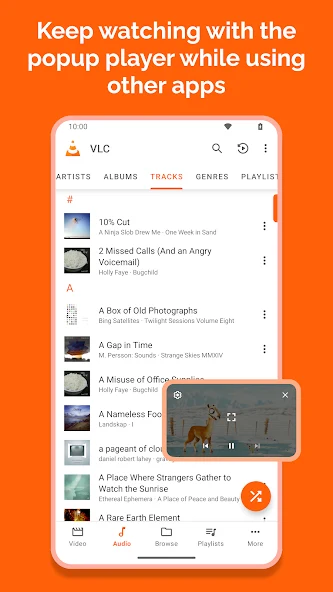
VLC is a media player for Android that plays local media files and supports disk sharing. It parses various media file formats through built-in decoders and includes an audio media library that allows direct folder access. The app provides many built-in audio control widgets, streams video from network locations, and is optimized for battery performance. Its simple user interface helps users start quickly while still offering power to play random tracks and categorize them by album, artist, or genre. All features remain completely free.
What video and audio formats can VLC play on Android?
VLC for Android plays most local video and audio files as well as network streams including adaptive streaming and DVD ISOs. It supports disk shares and handles formats such as MKV, MP4, AVI, MOV, Ogg, FLAC, TS, M2TS, WV, and AAC. All codecs are included with no separate downloads required. The player also supports subtitles, Teletext, and Closed Captions along with multi-track audio and subtitles.
Does VLC support streaming from networks or local disk shares?
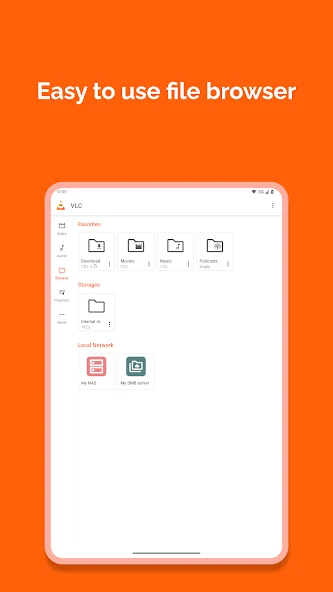
VLC for Android supports network streaming protocols so users can play videos directly from a local network or the internet. It also handles disk shares in the same way as the desktop version. Folder browsing is available through the media library for both audio and video files, giving direct access without extra steps.
What controls and gestures does VLC offer for playback?
VLC includes support for auto-rotation, aspect-ratio adjustments, and gestures that control volume, brightness, and seeking. It supplies widgets for audio control, headset control, and cover art display. The app can prevent the phone from sleeping during video playback and allows changes to audio volume and ringtone through the required system permissions.
How is the audio media library organized in VLC?
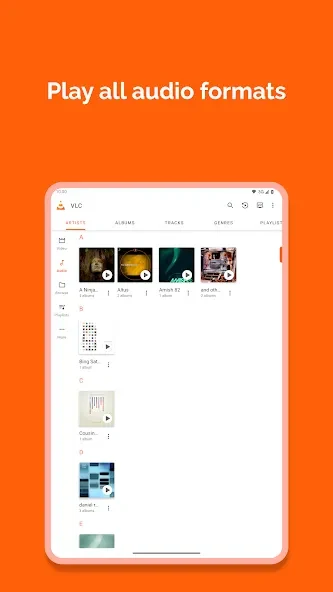
The audio media library lets users browse folders directly and organize tracks by album, artist, or genre. Playback of random tracks is available, and the library works with cover art. Users can play all audio continuously by selecting the first track and using the options menu or by creating a playlist.
What permissions does VLC require and why?
VLC needs permission to read USB storage contents to access media files and to modify those contents for file deletion and stored subtitles. Full network access enables streaming, while the prevent-sleep permission keeps the screen active during video playback. Additional permissions cover audio settings changes, network connection checks, drawing picture-in-picture widgets, vibration feedback, and startup behavior limited to Android TV devices. Microphone access is used only for voice search on Android TV.