


Overview
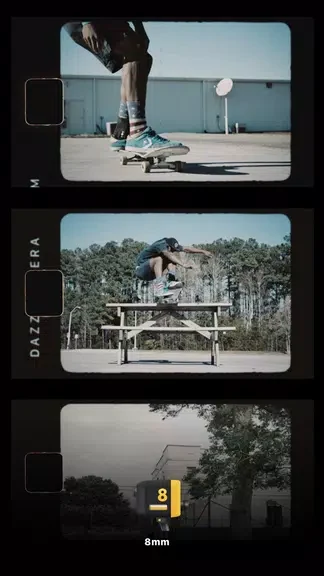
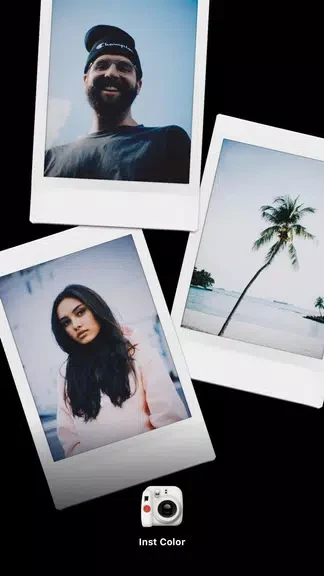
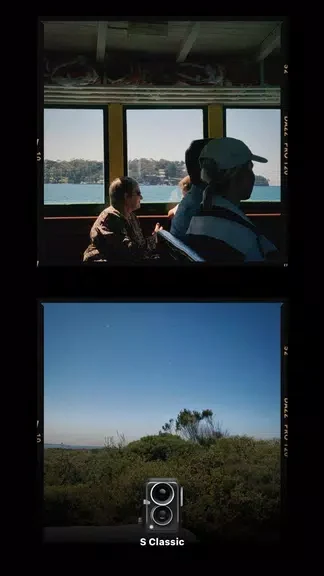
Vintage Camera - Dazz brings film-inspired photography tools to an Android app, letting you give photos or videos a retro look with a single click. Its style draws on cameras of the 1980s, with recreated color, texture, and film noise, alongside effects such as light leakage. The app combines these looks with practical camera options, including a self-timer and flash, so you can adjust how you capture a scene as well as how it appears. It also supports square photo framing for Instagram and sharing creations on social media.
What You Can Do
⭐ Apply a film-inspired look to photos or videos with a single click, using color, texture, and noise effects for a vintage appearance.
⭐ Create double-exposure compositions by overlaying two photos, a way to combine images into one artistic result.
⭐ Set a timed self-timer when you need to get into the frame instead of pressing the shutter immediately.
⭐ Use the flash in dark settings, where it can contribute to the look of a low-light shot.
⭐ Adjust exposure and try the fisheye lens for different image treatments.
⭐ Frame photos as squares for Instagram, then share them on social media. Adding #dazzcamera may make a photo eligible for selection in the app's collection; selection is not guaranteed.
Using the App
The app is presented as a point-and-capture camera experience: choose a look or camera effect, then capture a photo or video. For a more deliberate setup, adjust exposure, use the timer if you need time to join the shot, or turn on the flash in a dark setting. Double exposure offers a separate creative workflow, letting you layer two photos. The source also says that new cameras are introduced from time to time, offering additional photography options.
Why It May Appeal
✅ Film-inspired effects and camera controls are brought together, so users can shape both the capture and its visual style in one app.
✅ Square framing and social sharing support a straightforward path from taking a photo to posting it.
Developer
The supplied developer name is John Ceaser.