


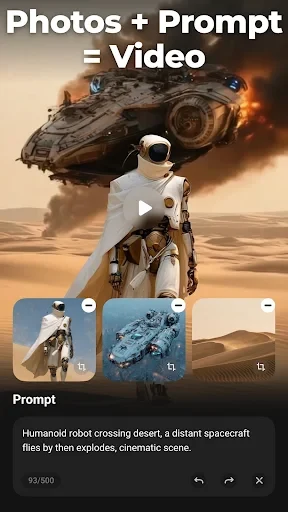
VideoShow is a video and movie creation tool for assembling clips and images on an Android device. It combines timeline-style creative functions with templates, transitions, effects, text, audio controls, image editing, and GIF creation, making it relevant to users who want to produce several types of visual content from phone media.
What video creation functions does VideoShow support?
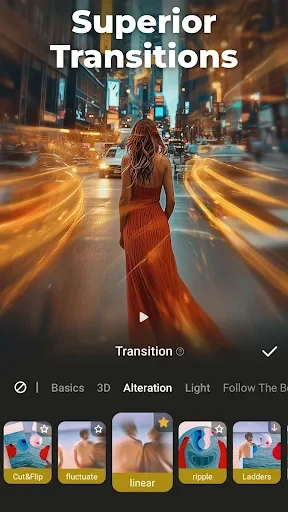
The app can create videos from downloaded clips and images by combining frames, and it provides templates for shaping the result. Users can apply transitions, filters, stickers, and other effects, while overlays allow multiple videos to appear within the same frame. Text can also be added with different fonts and colors to personalize a project or communicate information.
Can it handle audio and voice recording?
VideoShow supports mixing audio into videos. The source describes a selection of songs, the option to add music stored on the device, and voiceovers recorded for a project. It also includes voice editing that can produce altered sounds, such as a robot-style voice, which can be used for dialogue or other creative audio.
Is it useful for promotional videos?
The app includes promotional video templates intended for corporate presentations and product or event introductions. A company or personal logo can be placed on a video, with controls for its position and size. Background designs, music, visual effects, and informational text can be combined for promotional content.
What can it do besides video editing?
VideoShow includes basic image-editing tools, including stickers and zoom controls. It can also create GIFs from images or short clips selected from the device gallery, then export those materials as animations.
How can finished videos be shared?
Completed videos can be shared through social networks or email. The source specifically names Facebook, Instagram, and Twitter among the supported social sharing destinations.
Are there any documented issues to keep in mind?
The supplied information mentions reported crash issues and connection problems. These notes describe potential user-facing concerns, but they do not specify when the issues occur or which device configurations are affected.