
Video Converter Mod is a mobile conversion and editing tool for changing video and audio files into different formats. It combines format conversion with controls for resolution, frame rate, codecs, subtitles, audio tracks, compression, and several basic editing operations.
Which video and audio formats can it handle?
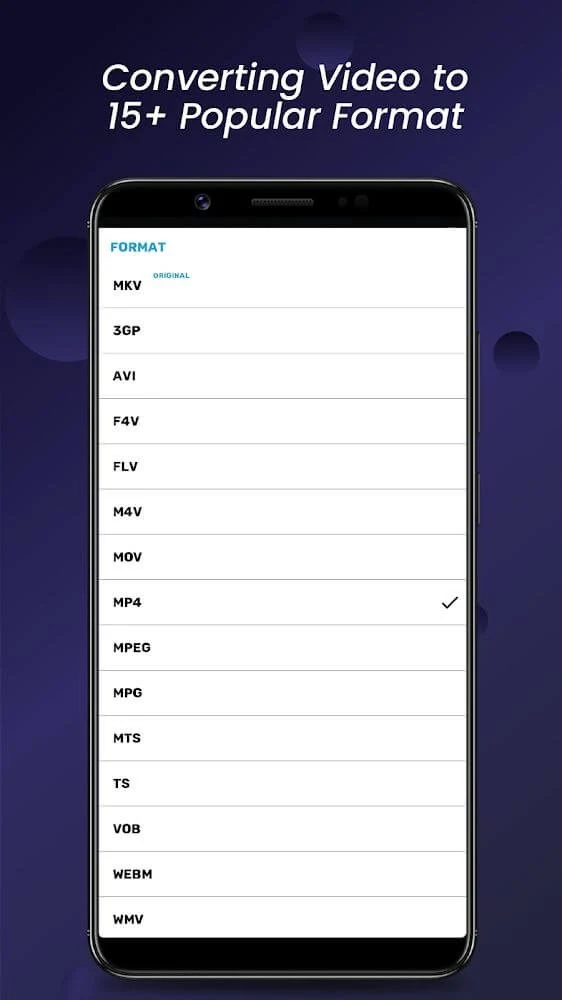
The source describes broad support for video and audio conversion, including common formats such as MP4 and AVI and more specialized formats such as M2TS and MXF. The supplied FAQ also names MKV, MOV, 3GP, and FLV among the supported video formats. Because the description presents these as examples within a wider format range, the exact options available can depend on the selected conversion task and source file.
The app can also convert video into audio formats, including MP3. This makes it suitable for extracting an audio track from a video when a separate audio file is more useful than the original video. The description also identifies WAV as an available format for adding an external audio track.
Can output resolution and frame rate be adjusted?
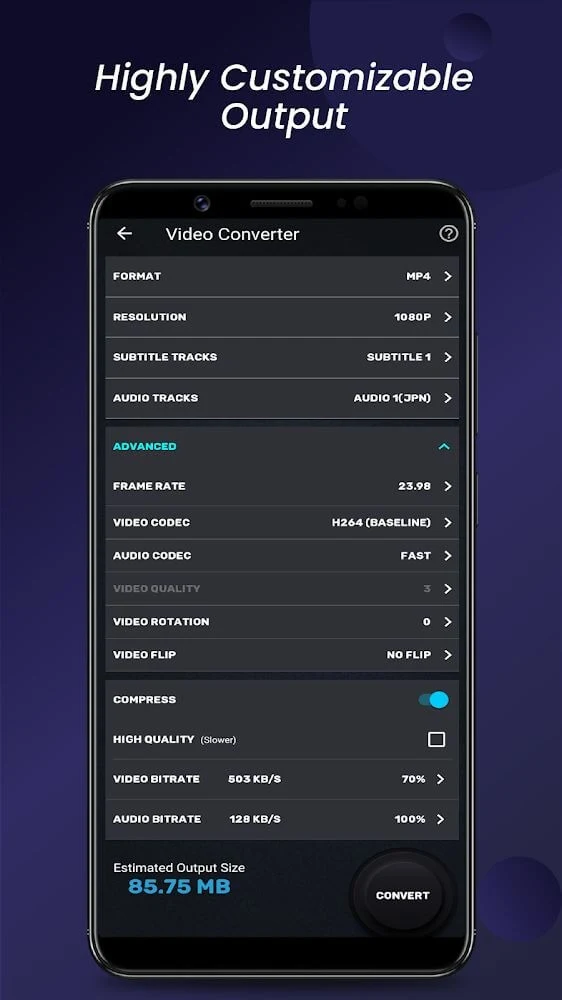
Video Converter Mod provides predefined resolution choices ranging from 4K to 240P, and the description says that users can enter a custom resolution. These controls allow the output dimensions to be selected for different quality or file-size requirements rather than relying only on the source video's original settings.
Frame rate can likewise be selected from predefined values or entered as a custom setting. The source connects this control with playback smoothness and output-device requirements. It also describes speed adjustments for different sections of a video, so frame-rate selection and editing of playback speed are both part of the app's control set, although they address different aspects of the result.
What subtitle and audio track controls are available?
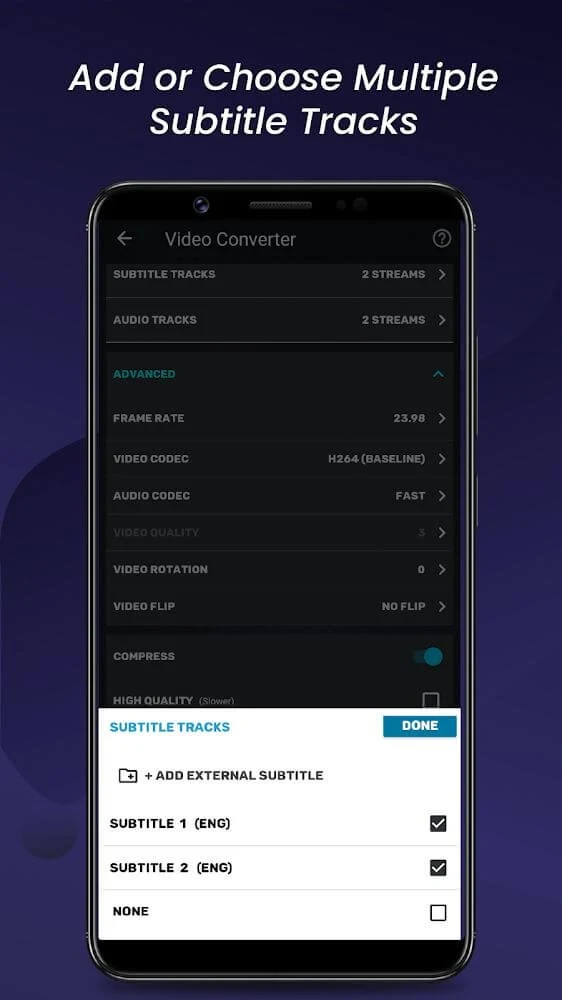
The converter can work with subtitle tracks already present in a video and can also accept external subtitle files. SRT and VTT are specifically mentioned as supported subtitle formats. This gives users a way to select an existing subtitle track or add one during the conversion process.
Audio-track management follows a similar approach. Users can choose an existing track or add an external one, with MP3 and WAV listed as examples. These options are relevant when a video contains several audio tracks or when the desired soundtrack is stored separately from the video file.
Which codec settings can be selected?
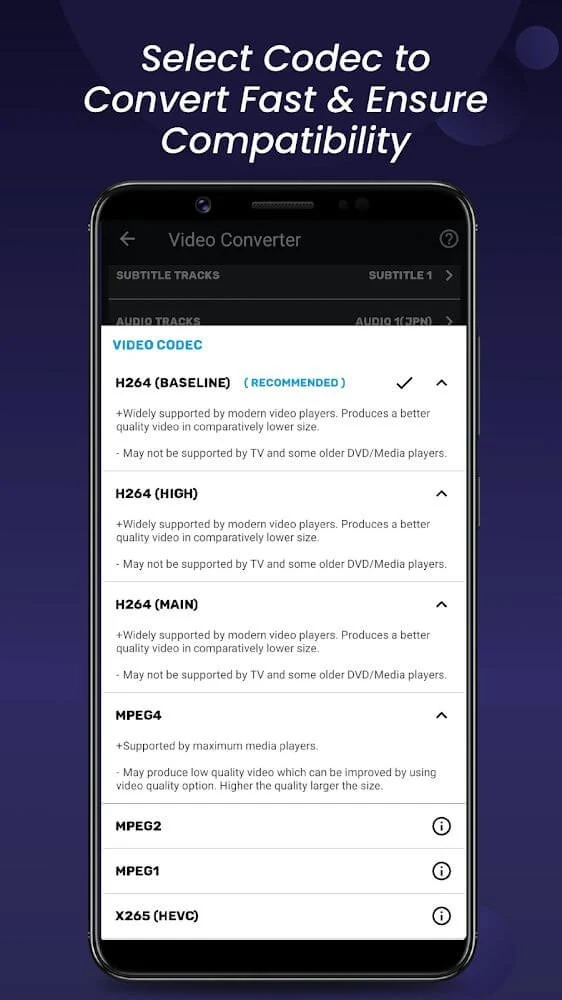
The description lists H264 and MPEG2 among the supported video codecs and AAC as an audio codec. Codec selection can be used to shape the balance between output quality and file size. The available choices therefore provide more control than simply changing a file extension, although the result still depends on the selected format, resolution, frame rate, and other conversion settings.
Does the app include video editing tools?
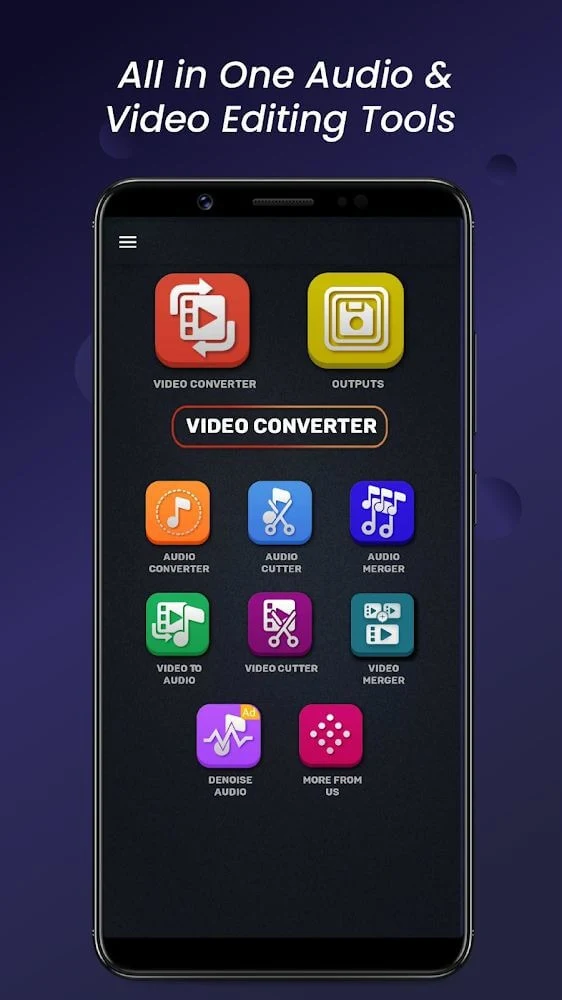
Yes. Alongside conversion, Video Converter Mod includes basic editing functions for cutting and merging audio or video files. It can also rotate a video by 90 or 180 degrees and flip it vertically or horizontally. These controls address common presentation changes, such as correcting orientation or combining separate clips into one file.
The supplied description also mentions resizing, changing the aspect ratio, extracting audio, adding subtitles, and adjusting video speed. These tools are presented as built-in functions, so the described workflow does not require a separate editing application for those basic changes.
How does compression fit into the conversion workflow?
The app includes a video-compression tool for reducing the size of large files. Users can customize the desired video size, and the source describes compression as a way to prepare files for sharing or uploading to social networking sites. Compression settings can be considered alongside resolution, codec, and frame rate choices when the output needs to occupy less storage.
The description says the app aims to preserve much of the original quality during compression, but the final result will depend on the settings and the source material. It is therefore useful to treat compression as a configurable part of the conversion process rather than as a guarantee that every file will retain identical quality.
Is the interface designed for basic editing tasks?
The source characterizes the interface as simple, with features arranged in accessible locations and text guidance associated with individual controls. This organization is intended to make the conversion and editing options easier to identify, including functions such as format selection, resizing, subtitle handling, and audio extraction.
Overall, the app is focused on practical file preparation: changing formats, tailoring output settings, adjusting or replacing tracks, making straightforward edits, and reducing file size. The supplied description also says that compatibility with additional phone models and audio formats is being expanded over time, but it does not specify a complete compatibility list.