
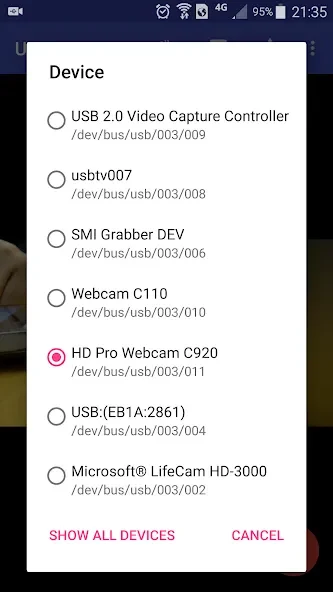
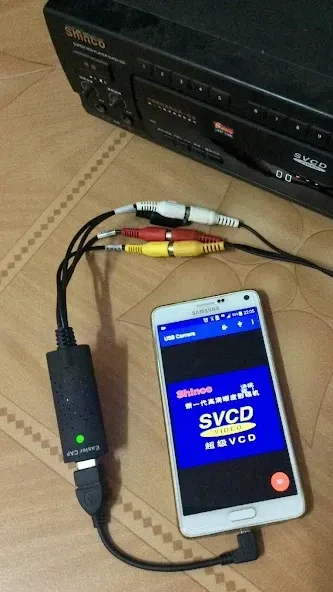
USB Camera Pro is a video capture tool for connecting an Android phone or tablet to compatible USB video devices when you need to record, monitor, or stream an external camera feed. The source lists support for UVC webcams, video capture cards, EasyCaps, selected non-UVC devices, and external USB audio input.
When you need high-definition capture from a USB device
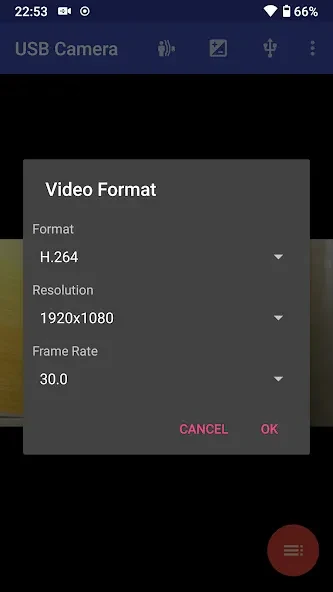
The app can capture video at resolutions up to 4K and supports H.264, H.265, HEVC, and MJPG formats. The listed device support also includes YUY2, P010, and NV12 for several UVC cameras and video grabbers. A UVC webcam may include its own microphone or work with a separate USB audio input, while a video grabber can accept HDMI video up to 4K and progressive or interlaced input.
For users working with specialized hardware, the supported list includes Windows Hello and infrared cameras, as well as the Geek szitman supercamera identified as 2ce3:3828. The source also identifies several EasyCap configurations, including UTV007, HTV600, and HTV800 chipsets, plus devices using STK1160, EM2860, or SMI2021 with the listed decoder and audio chip combinations.
When a phone or tablet is used for live streaming
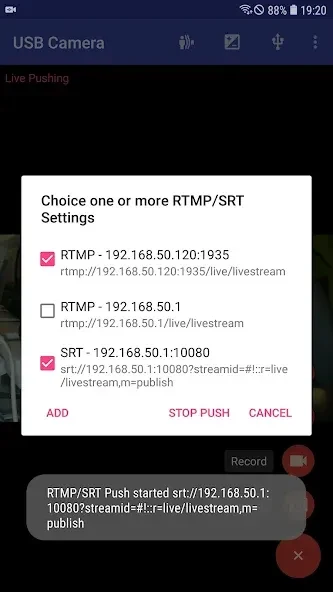
USB Camera Pro provides RTSP real-time streaming for live broadcasts and surveillance workflows. It also supports RTMP broadcasting to platforms such as YouTube and Facebook, so a connected USB camera or capture device can provide the video source for those streaming uses.
The app is also described as supporting recording and snapshots from the connected video source. This makes the Android device useful as a mobile capture point when the required USB hardware is attached through USB-OTG.
When you need to monitor video while doing something else
Picture-in-picture mode places the video feed in a small overlay while other apps are in use. This is intended for situations where the external camera view needs to remain visible without occupying the entire screen. A VR/FPV view is also available for a virtual-reality or first-person presentation of the feed.
The source further describes an option to display video on the lock screen, keeping playback visible when the device is locked. Together with the picture-in-picture and VR/FPV modes, these viewing options provide different ways to monitor a connected camera or capture source.
When the video setup needs external audio
The app can use audio from USB microphones and other external audio input devices. Its listed changelog also says that system audio output can be mixed with USB audio or the built-in microphone. This provides an audio-source option for setups where the connected video device and the Android device use different sound inputs.
When capture settings need adjustment
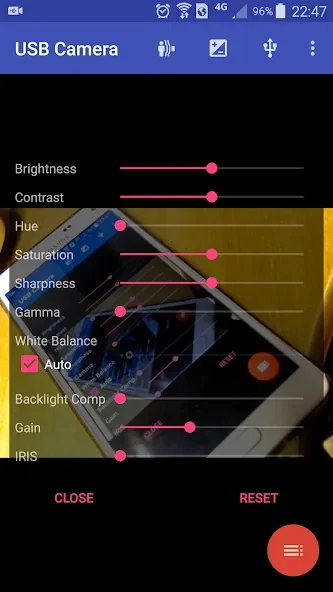
Customizable settings allow changes to video quality, resolution, and other options according to the connected equipment and the intended recording or streaming setup. The Pro version is described as adding further features and settings.
The source also notes improved access for some UVC devices containing multiple cameras, such as Windows Hello and infrared camera combinations. In addition, support was added for the Geek szitman supercamera devices commonly used in USB endoscopes. These details extend the app's documented use beyond standard webcams to selected specialist USB video hardware.