
Ultra Pro VPN is an Android VPN app for protecting your privacy while browsing. Its listing describes one-tap connections to servers in several countries, encryption of your connection, and access to websites that are blocked where you are. The sections below explain the situations in which each documented feature applies.
Reaching blocked websites from school, college, or work
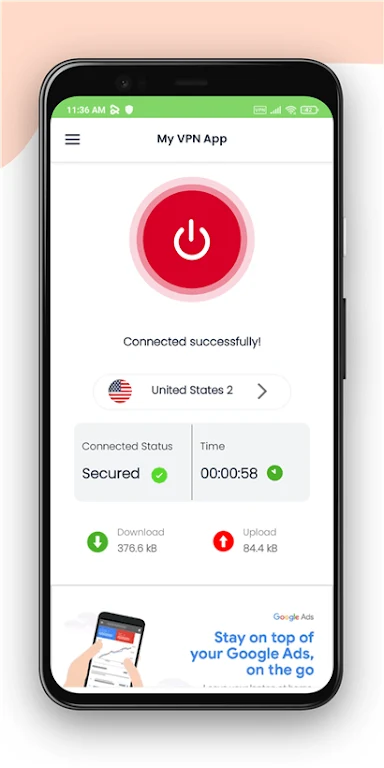
The description says the app can bypass access barriers and unlock blocked sites, and it names school, college, and work as places where this is useful. When a favorite site is unavailable on your current connection, the app is meant to route your device through a server elsewhere. The listing states that the IP address of the Android device changes so that foreign websites can be reached, and that this process runs automatically once you connect.
Choosing a server by country
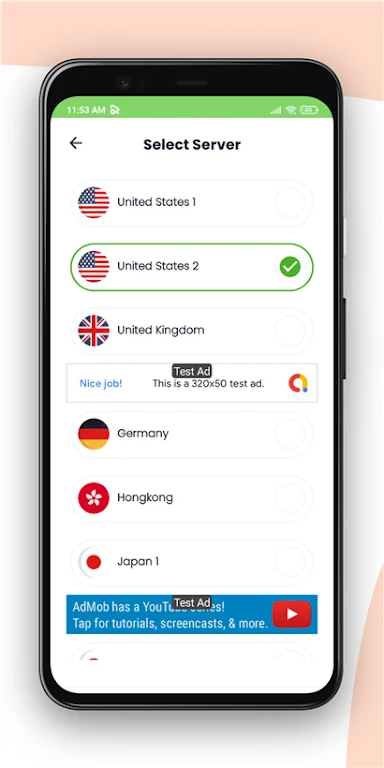
Servers are shown as country icons. The listing names locations including the UK, USA, France, Austria, Germany, Korea, and China. Tapping the icon for a country starts the connection. A list of servers is also shown on screen, so you can select the server closest to your location for a better connection, and you can change servers at any time.
Protecting browsing on public Wi-Fi
The listing says the app encrypts your connection, which it presents as useful on public Wi-Fi, where it describes keeping your data private. The description also refers to security features that range from basic to advanced. One of these identifies malicious URLs and blocks those sites. Another is a web tracker blocking feature, which the listing says helps keep your browsing history private.
Staying connected across different networks
The listing states that the app works with Wi-Fi, 5G, LTE/4G, 3G, and all mobile data carriers. This means the same app can be used when you move between a wireless network and cellular data. The description also says the app uses algorithms to optimize browsing speed through the available servers, which it links to a faster and more stable connection. These are the developer's claims, and the listing does not provide measurements to support them.
Simple setup and interface
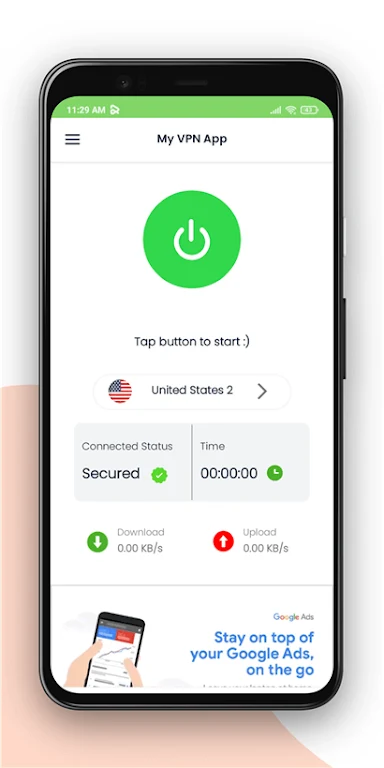
According to the listing, no login, registration, credit card, or configuration is required, and no additional permissions are needed. The interface is described as placing most features prominently on the screen and as being optimized for mobile devices, so connecting usually takes only a few taps. The description also says the app shows only a few advertisements. These are promotional statements in the listing and have not been independently verified.
Privacy policy and what the listing does not cover
The description says the developer follows a strict no-logging policy and that your online activities remain private. The listing does not include the policy text, details about data retention, or any independent audit. The description also mentions a Pro membership, but the details it gives are promotional, so the listing alone does not establish what the Pro version includes.