
TV Remote for Panasonic (Smart Mod is designed for controlling a Panasonic Smart TV from a smartphone when a separate remote is inconvenient or unavailable. It provides the buttons needed to navigate the television, and it can also send photos, videos, and music from the phone to the big TV screen.
When you need the main TV controls
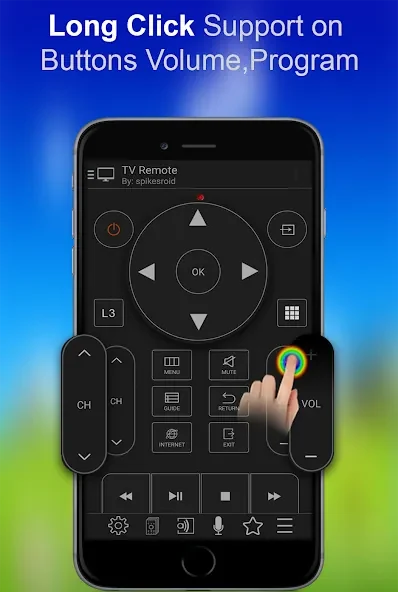
The app is intended to work like a physical remote, with support for the remote buttons used to operate the television. This allows users to navigate their Panasonic Smart TV from the phone rather than handling multiple remote controls. The app also includes a sleep timer for situations where the TV should stop operating after a selected period.
When phone media needs to reach the TV
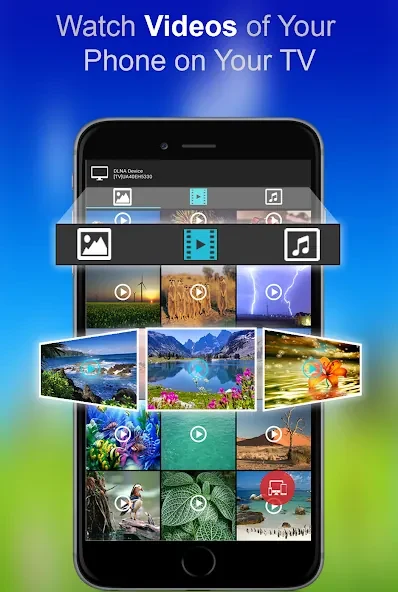
Beyond remote operation, the app can be used to view photos and play videos or music from the phone on the big TV screen. An inbuilt media player is included for handling this media within the app. These functions bring phone-stored content into the television viewing setup without changing the app's primary remote-control purpose.
When hands-free or motion control is useful
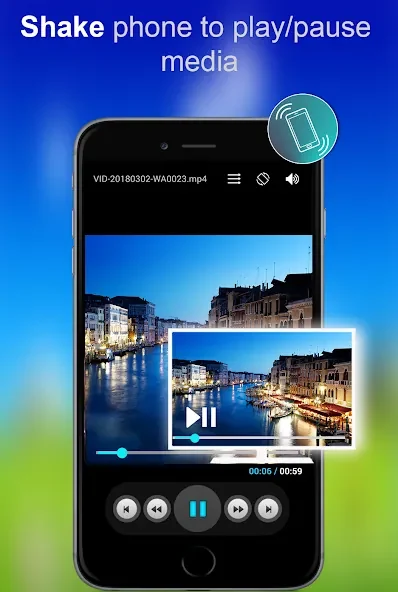
The app supports voice commands as another way to control the TV. It also provides a shake gesture for play and pause, giving users an alternative to pressing the on-screen remote button for those media controls.
When choosing a connection method
There are two operating modes. For WiFi control, the Panasonic Smart TV must be connected to WiFi and the phone must be connected to the same WiFi network. During setup, the code shown on the TV screen is entered into the app. Once that connection step is completed, the phone can be used as the remote through the network.
The second option uses an infrared IR blaster built into the phone. When the phone has this hardware, the app can control the Panasonic TV directly through infrared, without requiring additional hardware. This mode is therefore dependent on the phone having an inbuilt IR blaster.
When the TV is switched off
The app can be used while a Panasonic TV is turned off, but WiFi mode has a specific limitation: the TV cannot process WiFi commands in that state, so the WiFi mode “POWER ON” button is not supported. The available connection method and the phone's hardware determine how the app can be used in this situation.