



Turbo VPN Lite - VPN Proxy Mod helps Android users connect through a VPN location while browsing, streaming, working or downloading files. The app describes a setup in which users choose a location and the configuration updates automatically. It also lists network and privacy tools intended to work alongside that connection, including encryption, a kill switch and private DNS.
Choosing a VPN location
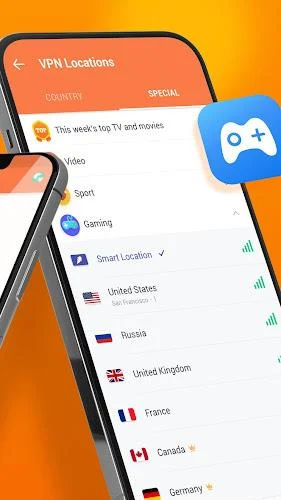
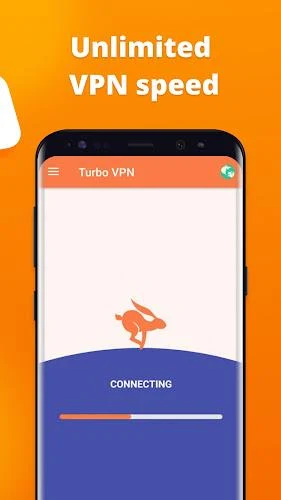
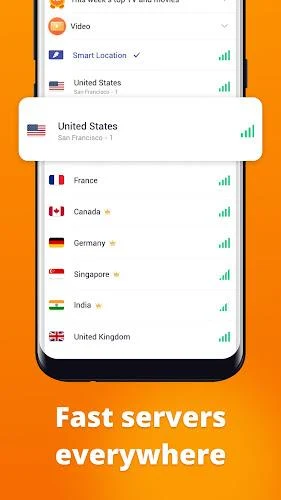
Location selection is central to the app’s described use. After installation, the user chooses a location for the VPN connection; the description says the app then updates its configuration automatically. This brings the server choice and connection setup together without describing a need for users to enter configuration details themselves. The connection can be used for general browsing and for accessing websites or services while connected through the selected location.
The supplied description lists a network of more than 21,000 servers in 111 locations, and mentions browsing, streaming and work as possible uses. These figures and uses are presented in the source description, rather than as independently verified or guaranteed availability. The app is also described as supporting location changes, so users can select a different listed location when they want to connect through another region.
Use across Wi-Fi and mobile data
The app’s description says it can operate when the device uses either Wi-Fi or a mobile network. It is also described as running in the background, with configuration options available for users who want to adjust how it works. This places the VPN connection alongside normal network use rather than limiting the stated purpose to one kind of connection.
Examples in the description include browsing websites, streaming, working online, and downloading files, pictures and videos to a device. These are presented as activities to use while connected to the VPN; the source does not specify separate tools for managing downloads or streaming. It also mentions trying to connect to a server nearer to the user’s actual location if the existing network speed is poor, though it does not promise a particular connection speed or result.
Listed privacy and security tools
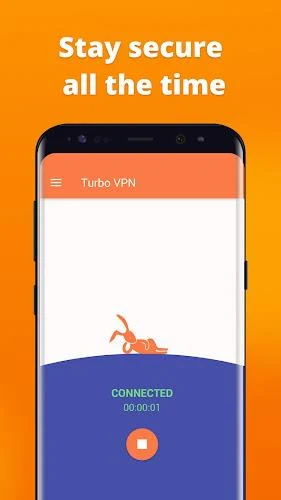
The source lists several privacy-related features: a no-log policy, 256-bit AES encryption, an automatic kill switch, private DNS and server security. It also says the VPN hides the user’s IP address. These are descriptions of features attributed to the app, not independent verification of how they operate or a guarantee that all online activity or personal information will be protected in every situation.
The description further says the app uses user-submitted data and logs to update its security tools, and claims that it can automatically block certain websites or services considered dangerous. It does not explain how those sites are assessed, how users review blocked items, or how the listed tools relate to one another. The practical scope of these protections therefore cannot be determined from the supplied information alone.
Configuration and support
Automatic configuration updates are presented as a way to reduce the need for manual setup after choosing a location. At the same time, the app is said to offer settings and options for users who want to configure its behavior. The source does not identify specific settings beyond location choice and the general availability of configuration options, so it does not establish which connection details can be changed.
The description also states that live customer support is available around the clock and refers to both free service and a premium subscription. It does not provide subscription terms or explain which features belong to each plan. Because the source gives conflicting promotional statements about cost, it does not establish the current price or whether a particular version requires payment. The app’s stated purpose remains connecting through a selected VPN location, with browsing and other online activity taking place over that connection.