

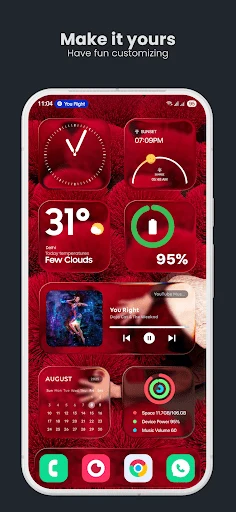
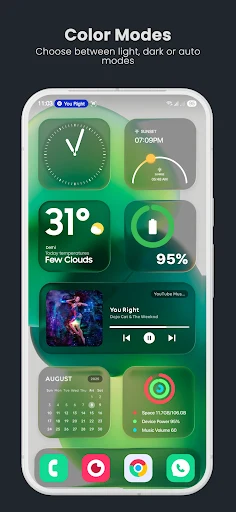
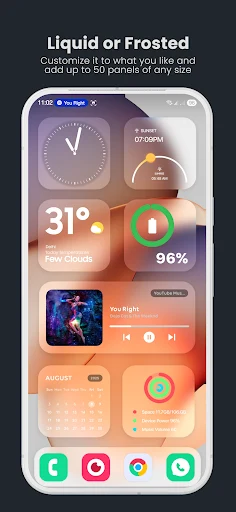
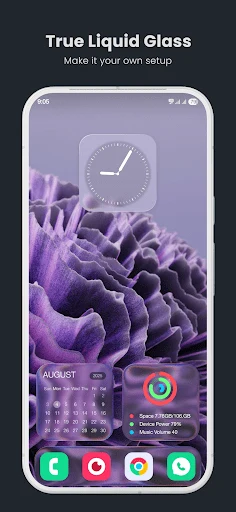
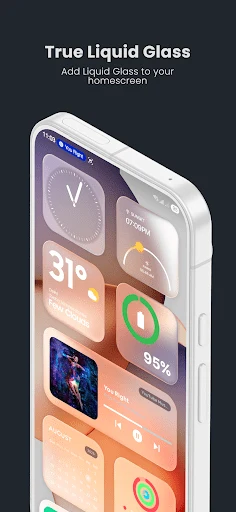
True Liquid Glass is an Android wallpaper application that lets users create liquid glass style designs for both the home screen and lock screen. It supplies an on-screen editor where shapes can be added, moved, resized, and styled with independent settings for each screen. The main task it addresses is turning a static wallpaper into an interactive layered layout that includes blur, refraction, and corner radius controls. The clearest supported benefit is the ability to preview every change immediately and revert mistakes with undo and redo tools without restarting the setup process.
How do you begin using the wallpaper and reach the edit tools?
Start by granting the necessary permissions and setting the wallpaper while choosing the option that covers both the home screen and lock screen. Once the wallpaper is active, open the Setup tab and enable the switch labeled Edit Layout on Homescreen. The device then displays the home screen with the edit panel already open. A title at the top of the panel always indicates whether the current view is the home screen or the lock screen, and a simple button switches between the two.
What actions can be performed on shapes inside the edit panel?
Shapes are selected either by tapping them directly on screen or by choosing their number from a scrollable list. Long-pressing a shape allows it to be dragged to any position, while a resize handle or dedicated button opens finer size controls. Each shape can be deleted with an X handle, hidden or shown independently on each screen, and switched between a panel style and an icon style. A grid snap slider helps align items precisely, and separate toggles decide whether a shape scrolls with the page or remains fixed. New shapes are added with a plus button, and any selected shape can be duplicated instantly.
How are wallpapers, motion, and presets managed across screens?
A single image or an entire folder can be chosen as the wallpaper source, with swipe gestures cycling through folder images in the preview. Parallax motion is driven by the device accelerometer and its sensitivity can be adjusted. Designs are saved and restored through export and import of presets, which also makes it possible to share layouts with others. When the device is unlocked, lock-screen elements animate into the home-screen layout for a continuous visual transition. OneUI multi-page support is built in, and a compatibility mode is available if the current launcher needs extra adjustments.
Which screen-specific options remain independent between home and lock screens?
Visibility, icon versus panel style, and scrolling behavior can be set separately for each screen, so a shape may appear as a panel on the home screen and as an icon on the lock screen. Roundness of icons is controlled by its own slider on the Visuals page. Widgets are not created by the app, yet they can be placed above any panel layer. Battery optimization should be turned off for the app to keep animations running smoothly at all times.
Who is most likely to benefit from these layout tools?
Anyone who wants to replace a plain wallpaper with layered, glass-like shapes that respond to screen changes will find the editor useful. The combination of real-time adjustments, per-screen independence, and preset sharing supports both quick experiments and detailed multi-page designs without requiring external design software.