

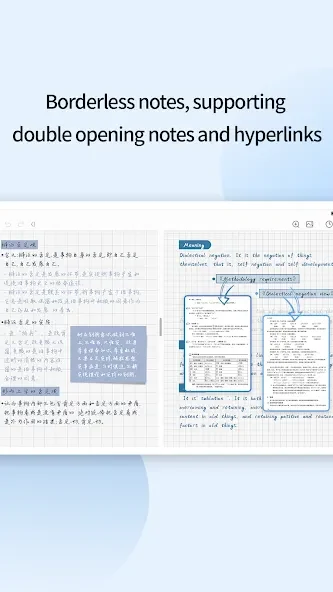


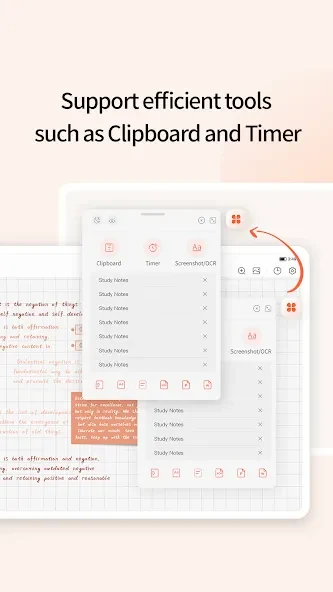
TouchNotes is a note-taking app for Android that lets you record notes in several formats instead of relying only on paper and pen. Its main tasks include handwriting, typing, building mind maps, importing existing files, and keeping notes in a third-party WebDAV cloud drive. The source describes it as a note management system with a comprehensive note-taking and mind mapping experience.
Writing notes by hand or in typed formats
When you want to keep ideas on screen in a way that feels close to writing on paper, the app offers a handwriting experience that the source describes as a realistic feeling of writing on your device. The source also lists several note formats, including standard notes, PDF notes, journals, and handwriting converted to text. An intuitive handwriting-to-text function is included, so handwritten material can be turned into text.
Bringing existing documents and images into notes
If your material already exists as files, the source says you can import multiple formats, including PDF, PPT, Doc, JPEG, and PNG. This lets you work with existing documents alongside notes you create in the app, rather than starting every page from scratch.
Arranging ideas with mind mapping
Mind mapping is one of the app's stated capabilities. It is useful when you want to arrange related ideas as connected branches on a page instead of as a linear list of lines.
Customizing pages and drawing tools
The source says you can customize paper templates, cover templates, pen effects, pen thickness, and colors. These options let you adjust how a note looks and how your handwriting or drawing appears on the page.
Editing elements and zooming in for detail
During creation, you can add, adjust, and delete various elements. You can also zoom in to write with more precision, which is helpful when you need finer control over small handwriting or drawings.
Saving and reaching notes through WebDAV
The app supports third-party WebDAV cloud drives. According to the source, this allows you to save your notes and access them from different locations. The source does not name specific WebDAV providers, so any compatible service you use should be checked against your own setup.
Reminders and limits noted in the source
The source lists an option to set reminders for important notes. It also notes that formatting options are more limited than in some other note-taking apps, and that advanced features such as encryption or password protection for sensitive notes may not be available.