

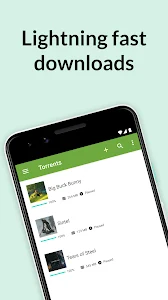
µTorrent® Pro - Torrent App apk is an Android torrent client for downloading files from torrent files and magnet links. It includes controls for managing network use and download speed, lets users select individual files within a torrent, and provides tools for organizing and playing downloaded media.
Download and network controls
The app can load torrent files or magnet links. With a magnet link, users can open the link in the client without first downloading a separate torrent file. These options provide two ways to start a torrent download, depending on the link or file available.
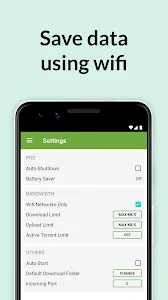
A Wi-Fi-only setting can pause downloads while the device is using mobile data. According to the supplied description, downloads resume automatically when the device reconnects to Wi-Fi. This setting is relevant for large transfers where mobile data use needs to be managed.
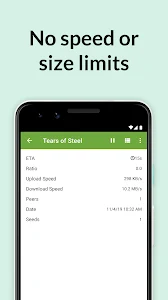
Users can also set a maximum download speed. The client can apply that limit to help control bandwidth use; when no limit is set, download speed depends on the internet connection and the availability of seeders. The source does not specify a fixed speed or file-size ceiling.
Choose files and organize downloads
Rather than downloading every item in a torrent, users can inspect its contents and select the specific files they want. This is useful when a torrent contains multiple files but only some are needed. The selected files are then downloaded to the device.
The download destination can be customized so files are saved to a chosen location. Users can set folders to keep downloads organized without needing to move each file after the transfer. The app also sorts downloaded music and video into their own folders, making those media files easier to locate.
Playback and storage considerations
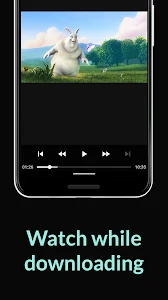
Integrated music and video players let users play supported downloaded media within the app. This keeps playback alongside the download library, while the folder organization helps users find the saved files.
The supplied description notes that some older devices may not recognize an SD card correctly. It recommends downloading to internal storage in that situation, then moving files to the SD card if needed. If the app does not detect the card, saving directly to it may lead to damaged downloads that have to be downloaded again.
Interface
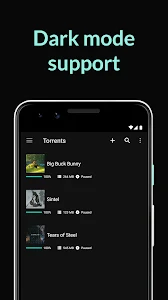
The client presents its functions in tabs and panels, with separate areas for its controls and downloaded content. This layout brings download management, file selection, and media access together in the app. The description does not specify device requirements beyond identifying the product as an Android application.