



Overview
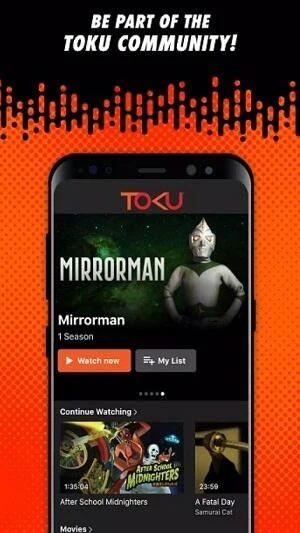
Tokuplay is an Android streaming app built around Tokusatsu entertainment, bringing series, movies, V-Cinema, spin-offs, and audiobooks together in one platform. Its library includes content associated with Kamen Rider, Ultraman, and Super Sentai, with curated sections that help viewers browse by franchise or format. You can search for specific titles, stream in resolutions up to 4K when available, and let the app adjust quality as network conditions change. Offline downloads, multilingual subtitles, playlists, Chromecast support, and cross-device syncing make it suitable for watching on phones, tablets, Android TV, or a larger cast screen.
What You Can Do
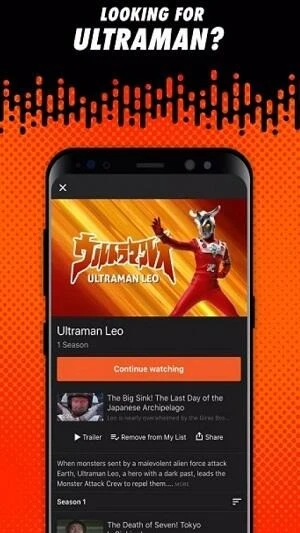
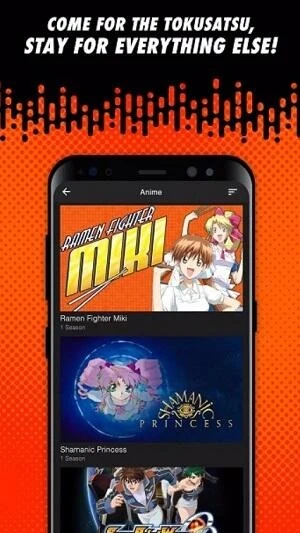
⭐ Explore a dedicated Tokusatsu library containing series, films, V-Cinema, and spin-offs. Franchise hubs for Super Sentai, Kamen Rider Universe, Ultraman, Film Tokusatsu, and V-Cinema provide organized starting points, while recommendations can surface related shows.
⭐ Stream with HD, Full HD, or 4K playback. Tokuplay adapts video quality to your current connection, helping maintain smoother playback when network conditions fluctuate while retaining higher resolution when bandwidth allows.
⭐ Download episodes or films for offline viewing. This can be useful during commutes, travel, or other situations where a reliable internet connection is not available.
⭐ Organize multi-episode viewing with playlists and Binge-Watch Mode. Playlists let you arrange episodes in a preferred order, while Binge-Watch Mode can start the next episode automatically.
⭐ Choose among Indonesian, English, Spanish, and Japanese subtitles. You can select a language before playback and change it later while watching.
⭐ Watch across supported screens. The app runs on Android phones and tablets, supports Android TV, and can cast to a television through Chromecast. Cross-device sync is intended to help you continue from where you stopped.
Using the App
Open Tokuplay and browse rows for Kamen Rider, Ultraman, Super Sentai, Films, or V-Cinema, or use search to find a particular title. After selecting a film or episode, choose the available subtitle language and tap Play. The Download option saves supported videos for offline viewing, while playlist controls help prepare a longer viewing session. You can enable Binge-Watch Mode when you want the next episode to begin without another tap.
For larger-screen viewing, use the Cast icon with Chromecast or launch Tokuplay on a compatible Android TV setup. Settings provide controls for parental restrictions, release-notification preferences, and synchronization options across supported devices. The app requires Android 5.0 or later. The source describes the main app as free and also mentions a Premium plan that provides an ad-free experience and additional features.
Why It May Appeal
✅ Its franchise-focused organization gives Tokusatsu fans a single place to browse several related formats instead of searching through unrelated categories.
✅ Adaptive playback can balance picture quality and changing network conditions, with support extending from HD and Full HD to 4K.
✅ Offline viewing, playlists, and automatic episode progression support both short sessions and longer arcs.
✅ Subtitle choices in four named languages can make the catalog more accessible to multilingual viewers and households.
✅ Phone, tablet, Android TV, and Chromecast support provide several ways to move viewing from a personal device to a television.
Things to Consider
❎ The highest playback quality depends on the available title and your network conditions; adaptive streaming may reduce resolution when the connection changes.
❎ The source distinguishes the free main app from a Premium plan, so some conveniences, including ad-free viewing, may require the paid option.
❎ Compatibility is listed for Android 5.0 and later, while television use depends on Android TV or Chromecast support.