

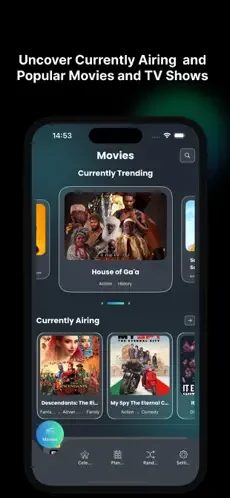

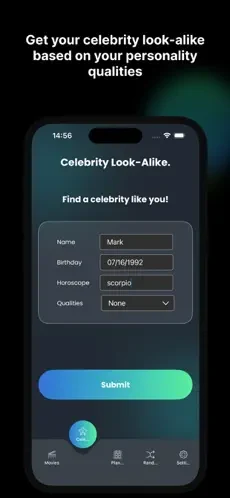
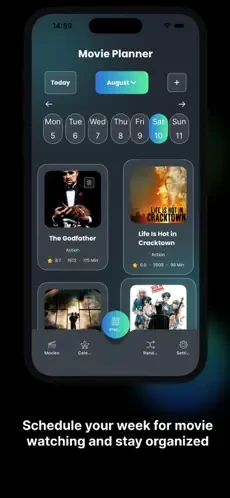
Tinyzone TV APK is an Android entertainment app in the Media & Video category. Its listing describes a library of classic and popular TV series, movies, anime, documentaries, and adult content, arranged so people can look for something to watch in one place. The emphasis is on browsing and watching, so the app is best understood as a video library with playback tools around it.
Content library and categories
According to the listing, the library spans many movies and TV shows across several genres. The source names action, drama, comedy and horror as examples and says the collection offers hundreds if not thousands of options. The listing also states that the database is refreshed regularly with new releases and requested titles, so the catalogue is expected to change over time. Because these figures come from the developer's own description, they should be treated as claims to verify in the app rather than measured facts.
Finding, resuming and organising titles
The main navigation centres on a search bar near the top of the interface. Users can search for a particular title or browse by genre. The listing says the app keeps viewing history so a movie or show can be resumed where it was left off. A favorites menu can be used to build a watchlist of titles to watch later. The listing also describes sharing links to specific titles with friends and family.
Playback controls and subtitles
The description lists several playback options. Users can adjust playback speed and subtitle size, and the listing mentions the ability to skip titles. Navigation is described as swipe and tap gestures for moving between categories and changing playback settings. Video is described as high definition, ranging from 720p to 1080p. Subtitles are said to be available in multiple languages. The listing also states that most titles can be watched in English, with subtitles for foreign-language movies and shows.
Recommendations and ad handling
The listing describes personalized recommendations that analyze past activity to suggest movies and shows matching a viewer's preferences. It also describes an ad-free feature and automatic blocking of ads and pop-ups. Other parts of the listing, however, say that some ads are included, though minimal. Because these statements do not agree, readers should check the current app page and their own experience before assuming how ads will appear.
Support, platforms and offline viewing
The listing mentions customer service that users can contact at any time. It also says the app is available on both Android and iOS, but this article covers the Android listing only. An offline viewing option appears in one section of the description, which says downloads can be watched without an internet connection. A later FAQ in the same listing states that offline viewing is not currently offered and that streaming requires an internet connection. Since these details conflict, this article does not confirm offline use, so check the app before relying on it when travelling.
Privacy suggestion from the listing
The listing suggests that users consider a VPN, which it says can mask an IP address and encrypt an internet connection. It presents this as an optional step for privacy rather than a guarantee of security. Anyone who wants to understand how the app handles data should review any privacy details shown on the store page before installing.