


TikVPN - Fast & Safe Proxy is an Android VPN app for people who want to route their internet connection through a remote server, whether to limit tracking of their online activity or to reach content that is restricted in their region. The app's listing presents a single tap as the way to start a connection, and the situations below show how the documented features fit those tasks.
Starting a connection with one tap
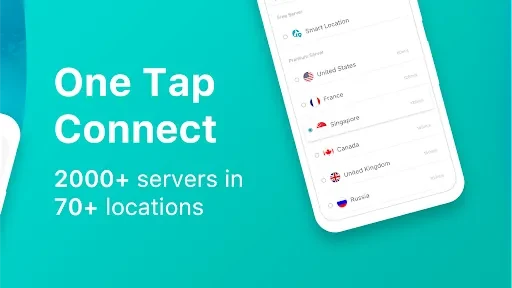
The listing describes connecting as a single action: pressing one button establishes the connection. This is the starting point for every other use described in the listing, so it is the first thing to check when you want protection before opening a browser or app. The listing does not describe additional setup steps beyond this.
Choosing a server location
TikVPN lists servers in more than 40 locations worldwide. If you want to see content associated with a particular country, you can pick a location that matches it. If you prefer not to choose manually, the Smart Location feature is described as automatically selecting the best server location, with the stated goal of balancing speed and performance while still allowing access to region-restricted content.
Opening restricted apps, streaming services, and websites
The listing names Netflix, Facebook, YouTube, Snapchat, and Telegram as examples of apps, streaming services, and sites that the proxy service may let you use even when they are restricted where you are. Use this feature when a service you normally rely on is unavailable in your current region and you want to reach it through a server in another location. Access depends on the service and the server, so the listing's examples should be treated as descriptions of intended use rather than guarantees.
Protecting traffic on public Wi-Fi
When you connect to a public Wi-Fi hotspot, the listing says TikVPN secures your network traffic and adds a layer of protection against hacking and tracking attempts, whether the data would otherwise be encrypted or sent in cleartext. This is most relevant when you are on a network you do not control and want your activity shielded from others on that same network.
Keeping your IP address and location private
The listing states that TikVPN hides your real IP address and geo-location, which the developer presents as a way to limit third-party tracking and analysis of your browsing. The listing also describes bank-grade encryption for the connection. These are the listing's own claims; they are not independently verified in this profile.
Using a different location setting for TikTok
For TikTok users facing geo-restrictions, the listing explains two approaches: changing location and language settings inside TikTok, or using a VPN such as TikVPN. With a VPN, you can access content from another country, and the listing says TikVPN offers a range of international servers for this purpose.
Network types
The listing states that TikVPN works across Wi-Fi, LTE/4G, and 3G connections, so the same connection process applies when you switch between a wireless network and a mobile data network.