

Tickle My Phone is an Android application that lets users remotely control their device by sending SMS commands from another phone. This setup supports actions such as making the phone ring or vibrate to help locate it when misplaced, capturing photos through the camera, dialing numbers, or toggling Bluetooth connectivity. The app requires installation on the target device followed by configuration of SMS text message rules, including an optional setting to hide command activity from the message log. A password can be required before any remote commands execute, and users may enable alerts for notification when actions occur. These capabilities aim to provide convenience for device recovery or basic remote tasks while adding a layer of access control.
Remote actions triggered by text messages
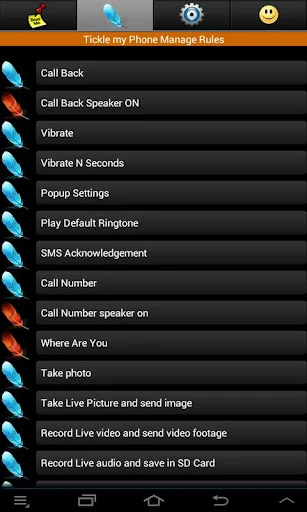
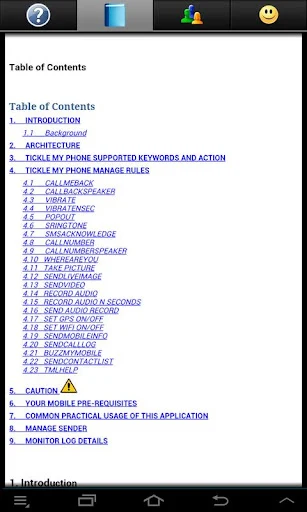
After installation, the app processes incoming SMS messages to perform a range of functions without physical interaction with the phone. Supported commands include initiating vibration, producing a loud ringtone, activating the camera for image capture, connecting or disconnecting Bluetooth, and placing calls. The process relies on simple text instructions sent from a second device, allowing control even when the phone is out of reach or screen-locked in some scenarios.
Configuration steps and options
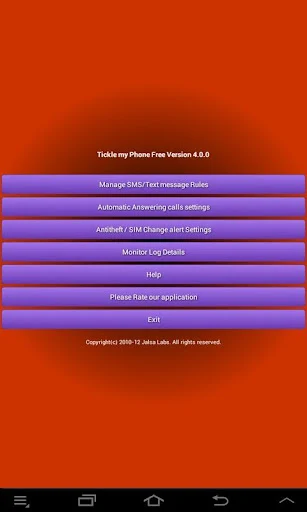
Setup begins with downloading the app onto the device intended for remote access. Users then review the manage SMS or text message rules section to adjust visibility settings, such as hiding executed commands from the message history if preferred. Once rules are set, the phone can receive and act on commands from authorized senders. The interface is described as straightforward for navigating these controls after initial setup.
Security and notification features
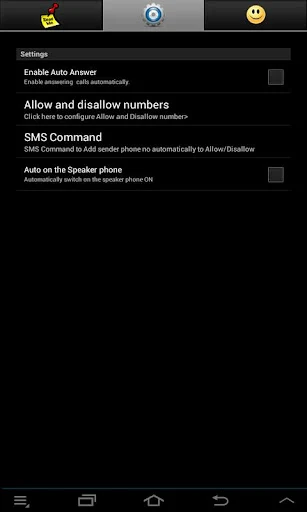
Password protection can be enabled so that commands only run after successful authentication. In addition, the app offers the choice to send alerts to the device owner whenever remote actions are performed. These measures are intended to limit unauthorized use and keep the owner informed of activity on the phone.
Limitations and risks of remote access
The source material notes that the same remote capabilities could be misused if the app is installed on a device without the owner's knowledge, allowing manipulation of phone functions without detection. It also indicates that the setup process, while described as straightforward, involves multiple configuration choices that may prove complex for some users. No information is provided on offline functionality, performance metrics, or compatibility beyond basic Android operation.