

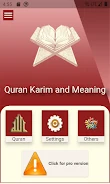
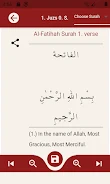
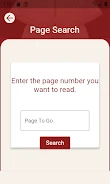
The Holy Quran and its Meaning helps readers access Quran text in Arabic, Latin letters, or translation, with options for browsing passages and reading verse by verse with translations. Its page-saving feature can make it easier to return to a reading session without searching again for the same place. Readers can enlarge or reduce page views and adjust the display using different fonts, page themes, or night mode. Together, these tools support a reading setup that can be adapted to personal preferences and low-light conditions.
Browse passages and follow translations
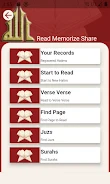
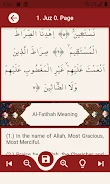
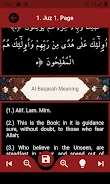
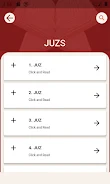
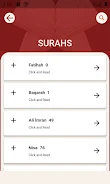
The app presents Surahs and parts in lists, providing ways to navigate the text. Readers can also choose a verse-by-verse view with translations. These options serve different reading tasks: lists help locate a section, while verse-level reading pairs individual verses with translated text.
Adjust the page for comfortable reading
A zoom control lets readers enlarge or reduce Quran pages. The display can also be personalized with a choice of three fonts and four page color themes, or switched to night mode for reading in low light. These settings let readers change the appearance and size of the text to suit their preferences.
Save your place between sessions
Readers can save their progress, and the app includes reminders to save so they can keep track of where they left off. This works alongside the navigation options: after saving a position, the reader can return to their place rather than browse the lists to find it again.
Reading settings at a glance
The interface is described as simple to navigate. Readers can experiment with the font, theme, zoom, and night mode settings to find a preferred arrangement. The available information describes reading, navigation, display customization, and progress saving; it does not specify additional study tools or offline access.