

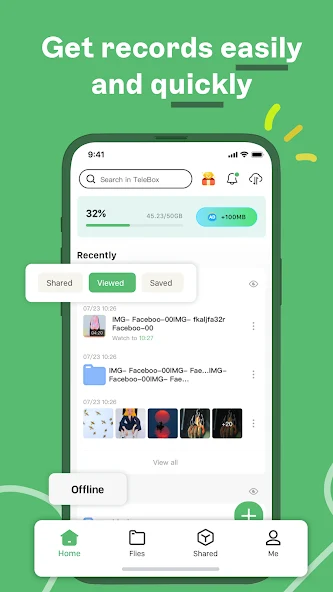
Telebox is a cloud storage utility for keeping photos, videos, and other files available beyond a single device. It supports personal uploads, protected storage, search and organization tools, shared groups, and access across phones, tablets, computers, and browsers.
When you need to back up photos and videos
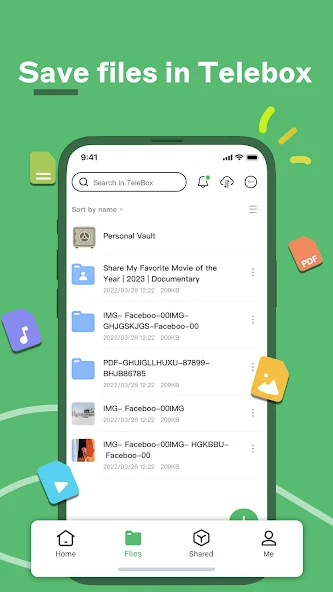
Telebox can be used to move photos and videos from an Android device into cloud storage. The documented upload sequence starts with the green button in the lower-right corner, followed by selecting the content to send to the cloud. An internet connection is required for this process.
The service also describes automatic synchronization for device content such as photos and videos. When this option is configured, changes made on one device can be synchronized with the others connected to the account. The source also states that photos can be backed up at full quality and that video projects can be kept at their original resolution.
When files need a private place
Alongside ordinary cloud storage, Telebox provides a virtual vault for files that should remain separate from general content. Items placed there are described as inaccessible to other people using the service. The account can also use an unlock pattern, adding an application-level access control option after registration.
Creating an account requires an email address, a verification code sent to that address, and a password. The source describes the registration process as taking less than a minute, although access still depends on completing those account steps.
When you need to find and manage stored files
Telebox includes search by file name or content, which is intended to help locate stored items without browsing through every folder. Organization tools include tags, favorites, sorting, and shared file management. These controls can be used to create a more structured collection as the number of uploaded files grows.
The app also supports video playback without requiring a separate media application according to the source. Playback tools include speed control, subtitles, and floating-window viewing. These functions are relevant when stored videos need to be watched or reviewed from within the storage service.
When files need to be shared with other people
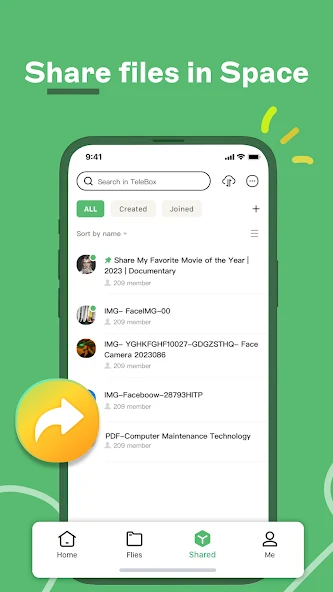
Telebox supports groups in which invited members can share content. A group link can also be shared with other people using the app so they can join. The source describes shared spaces as allowing members to contribute content and view what others add, making the group feature suitable for ongoing exchange rather than a single file transfer.
For a narrower sharing task, Telebox provides one-time links for individual large files. This option is intended for granting access to a file without giving someone access to an entire folder. Regular file and folder sharing is also available through a short sequence of sharing controls.
When the same files must be available on several devices
Uploaded content can be accessed through phones, tablets, computers, and browsers. This makes it possible to continue working with or viewing a stored item from another supported device after it has been uploaded. The source also describes updates from other devices appearing in real time, helping shared resources reflect recent changes.
Telebox therefore combines cloud backup with file access, organization, playback, and sharing tools. The available functions cover personal storage, protected files, synchronized device content, collaborative groups, and individual link-based transfers without requiring these uses to be handled in separate applications.