

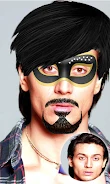
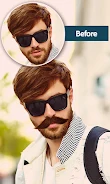
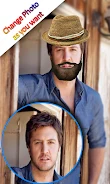
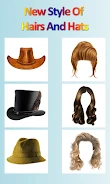
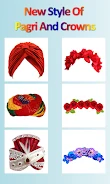
Stickers Photo Editor is a photo-editing app for adding decorative stickers to pictures selected from a gallery or taken with a camera. Users can choose stickers, position them on an image, and save the resulting picture. The described sticker options include facial accessories and styles, while photo filters provide another way to change an image's appearance.
Choose and position photo stickers
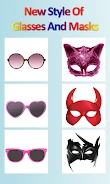
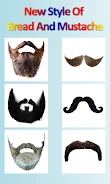
The app's sticker collection covers several types of decorative additions. Users can try mustaches and beards, hats, Pagri, glasses, and face masks, along with hairstyles and crowns. These choices let users add different visual elements to a picture rather than relying only on filters. The editing process described in the source gives users control over which sticker to use and where to position it on the photo.
Start with a gallery photo or camera image
Users can select a picture from their gallery or take one with the camera. After choosing an image, they can select stickers and place them on it, then save the edited picture. The source does not specify additional saving options or a particular file format.
Apply filters and edit offline
Photo filters are also available for changing the look of pictures. The description does not identify particular filter styles or adjustment controls, so their documented role is limited to applying filters to photos. The app is described as usable without an internet connection, including for its photo-editing purpose. Together, stickers and filters form the main set of documented tools for modifying a selected or captured image.