

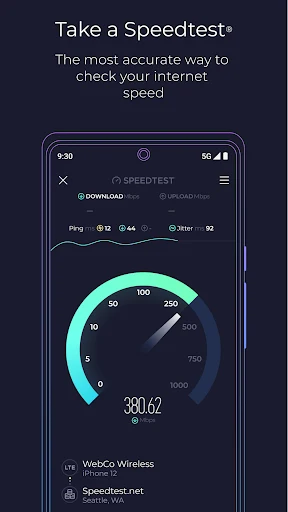
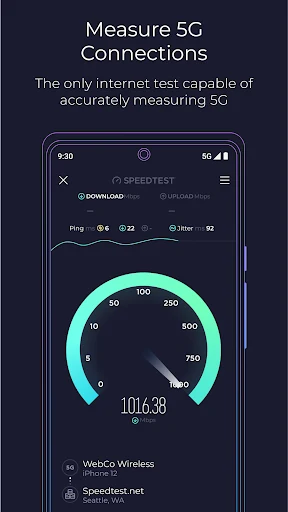
Speedtest measures an internet connection’s download speed, upload speed, and latency so users can examine the performance of the network they are using. A test connects to a server and returns these measures alongside a meter and histogram. The results describe different aspects of the connection rather than reducing performance to a single number.
Read speed and connection stability results
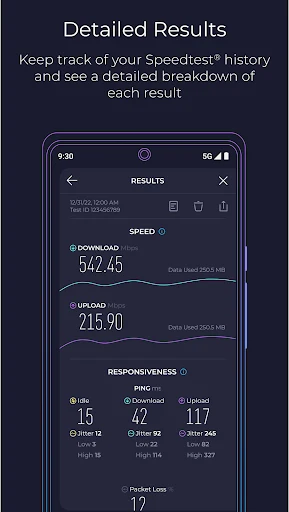
The primary test covers download and upload speeds as well as ping latency. The download measure relates to receiving data, while the upload measure describes sending it; latency provides another indicator of how the connection responds. These figures can help users assess whether a connection is meeting their needs for activities such as gaming, video conferencing, or streaming, without the app’s results themselves guaranteeing a particular experience.
During a test, the app presents readings in real time on a meter. Its histogram provides a view of changes during the measurement, and the source describes the frequency line as an indication of connection stability. Together, these displays give users more context about fluctuations than a speed figure alone. The app also describes the meter as showing current line speed and connection quality, allowing users to review the displayed readings while the app remains open.
Speedtest can assess Wi-Fi and cellular connections. Its description says tests connect to a nearby server and also refers to a global network of testing servers. The resulting measurements concern the connection in use during the test, so results can be considered in relation to whether the device was on Wi-Fi or cellular service.
Keep and share test reports
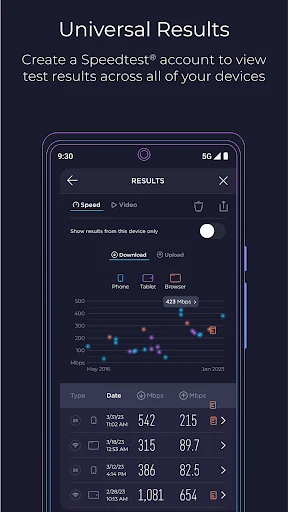
Past tests are available in a results area, where users can review their history. The records can help show how measurements vary over time; the source specifically describes looking for connectivity patterns or trends. Users can add notes to reports, share them, or delete information they no longer want to keep. These controls make the report history useful for comparing recorded results and for presenting test information to an internet service provider.
The app’s description also mentions statistics and charts based on test history. Those summaries provide an overview of recorded connection measurements. The source does not specify a particular reporting interval or explain an automatic process for compiling reports, so the available details are limited to reviewing historical results, adding annotations, sharing, and deleting.
Check video streaming performance
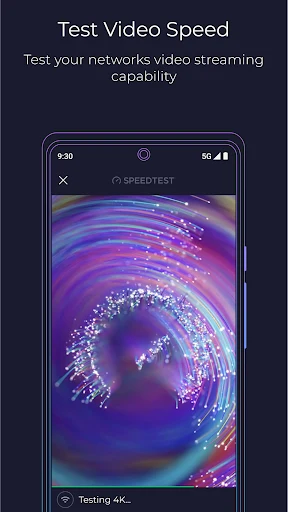
A separate video test measures factors identified as maximum resolution, load time, and buffering. These results are focused on video playback rather than the general download, upload, and latency readings. They provide additional information about how the tested network handles streaming, while the description does not specify further test controls or promise that a particular resolution will play without interruption.
Explore connectivity information on Speedtest Maps
Speedtest Maps presents information about network connectivity offered by service providers in different areas. This is a view of area-based connectivity data, distinct from the measurements of the user’s current connection. The source describes the maps as a way to examine provider coverage and compare connectivity in a given area, which may be relevant when considering networks while travelling. It does not explain how the map data is collected or provide specific coverage figures.