

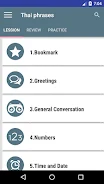
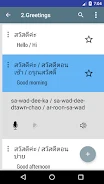
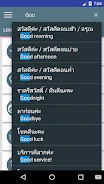
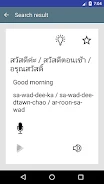
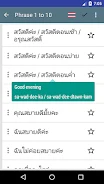
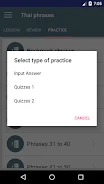
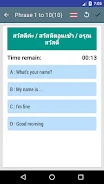
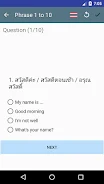
speak Thai language is a Thai phrasebook for Android, aimed at people travelling to Thailand or beginning to learn the language. Its core function is giving users quick access to more than 900 common Thai words and phrases, organized into categories so that the right expression can be found without a long search. The listing presents the app as a practical reference for everyday exchanges, including greetings, thanks, ordering food, and asking for directions.
Common Thai phrases organized by category
The phrase collection is the center of the app. According to the listing, the phrases are grouped into categories, which helps users locate expressions for a particular situation. The source describes the content as useful for tourists who want to say hello, say thank you, or order food, and also for business travellers who need to manage conversations and directions. The listing states that the 900+ phrases are included at no cost.
Native speaker audio for pronunciation
Each phrase is described as recorded by native Thai speakers. The listing says this gives users an accurate model of how each phrase should sound, which can help them speak more naturally. Because the audio is the reference point for the phrasebook, it is the feature that most directly supports the app's purpose of helping users communicate with locals.
Use without an internet connection
The listing states that speak Thai language does not require an internet connection. The source contrasts this with many language learning apps and presents it as a way to use the phrasebook at any time and in any location. This is a documented characteristic of the app, and it is especially relevant for travellers who may not have reliable mobile data.
Saving and searching phrases
Two tools help users work with the phrase collection more efficiently. A favorites section lets users store the phrases they use most often for quick reference. Keyword search lets users find a specific phrase, so they can look up expressions that fit a particular situation rather than browsing every category. Together, these tools are presented as ways to make learning and reusing relevant phrases more efficient.
Recording your voice and comparing pronunciation
The app also lets users record their own voice and compare the recording with the native speaker's pronunciation. The listing describes this as a way to identify and correct pronunciation errors. This comparison feature works alongside the native audio, so users can listen to the model, speak the phrase themselves, and check the difference.
Version and category details
The listing shows version 3.2.13 and places the app in the Productivity category. The description focuses on Thai phrases, audio, offline use, and practice tools rather than on broader language courses or lessons.