

Navigating Local Storage and Structured Collections
Solid Explorer File Manager provides a direct shortcut to the storage/emulated/0 directory, allowing you to browse all subfolders on your Android device efficiently. To help you quickly locate frequently used files, the application automatically categorizes and organizes multimedia content and documents into dedicated collections. These collections group items into downloads, recently used files, photos, videos, music, documents, and apps. Users can also perform indexed searches utilizing filters to narrow down specific items immediately.
Managing Cloud Storage and Local Networks
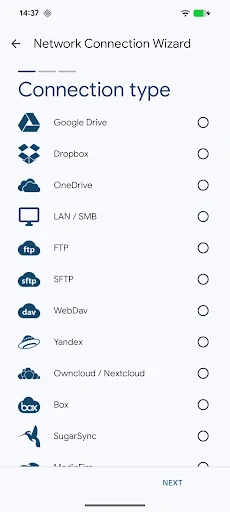
The application handles remote data by connecting to a wide range of external services and network environments. It supports major cloud storage providers including Google Drive, OneDrive, Dropbox, Box, NextCloud, SugarSync, MediaFire, Yandex, and Mega. For local networks, the tool accommodates standard network protocols such as FTP, SFTP, SMB/CIFS for Samba, and WebDAV. This connectivity lets you connect to Windows, Mac, and Linux storage devices, manage files via a file browser, share files across multiple devices via a browser using the built-in web file sharing option, or access your phone files from a computer using the integrated FTP server.
Advanced File Security and Organization Utilities
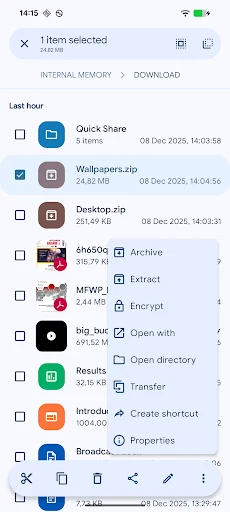
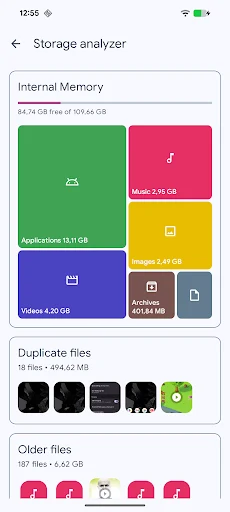
When dealing with sensitive data, Solid Explorer File Manager supports AES-256 file encryption secured by a password and fingerprint authentication. To optimize device capacity, the storage analyzer helps find and clean up duplicate files, large files, and junk files. For archiving and file preparation, the utility lets you create and decompress ZIP, 7ZIP, RAR, and TAR files, while the batch renaming tool allows you to rename multiple files simultaneously using a specified pattern. Rooted device users can also take advantage of the root permission manager to browse system files.
Multimedia Consumption and Multi-Device Compatibility
The platform includes a built-in media library equipped with an image viewer, music player, video player, and text editor, enabling you to open and view files directly inside the app. Designed to accommodate various form factors, it offers Chromebook and tablet support with optimized mouse, keyboard, and trackpad input. Users can also personalize their workspace using rich customization options for themes and icon sets, alongside the dual-pane layout that allows you to manage two folders side-by-side.