





What is Snapseed used for?
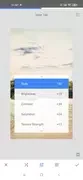
Snapseed is a photo editing app developed by Google. The source describes it as a comprehensive editor that suits both amateur enthusiasts and experienced photographers. Its main task is adjusting and enhancing photos, from basic corrections such as exposure, color and cropping to more specialized work such as face enhancement, double exposure and tonal contrast.
The description also places weight on the interface. It is presented as simple and intuitive, so a new user can understand the layout without long preparation. The source notes that edits are applied through simple gestures and suggests that newcomers try presets and sliders for initial adjustments.
Which tools and filters are included?
The app is described as including 29 tools and filters that can be applied with a touch of the screen. Named tools include Healing, Brush, Structure, HDR and Perspective adjustments. Basic tools listed in the source cover crop, rotate, brush selection and white balance.
The filters mentioned include light halo, vintage, grunge, black and white, double exposure and drama, along with other effects. Each tool can be modified precisely, which the source presents as a way to reach a fully customized result.
How do the selective brush and saved styles work?
The selective filter brush is described as applying changes to only part of an image. This allows local adjustments rather than changes across the entire frame, which suits situations where one area needs different treatment from the rest of the photo.
Users can also save their own editing styles and apply them to future photos. The source presents this as a way to reuse personal designs in later projects. It also states that the editing stack lets users make changes without losing earlier progress.
Which file formats and performance claims appear in the description?
Snapseed supports JPG and RAW image files. According to the source, it allows non-destructive editing of RAW images and helps preserve image quality. The description also states that the app handles large, high-resolution files without slowing down the phone. These performance statements come from the product description and are not measured or verified here.
Does Snapseed require an account or sign-in?
The source states that the app works without asking users to log in or connect to other services, and that it does not send repeated pop-up alerts. It also describes the experience as free of learning courses or service payments, and says that this level of control is rarely found in free products. These are the developer-style descriptions in the listing, and they should be read as product claims.
What the listing does not cover
The supplied information does not give a reliable minimum Android version, so no device requirement is stated here. The source mentions that Snapseed is also available on iOS, but this profile focuses on the Android app. Beyond the free status described in the source, no pricing details are included.