

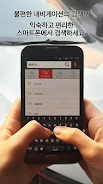
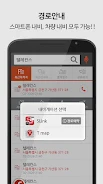
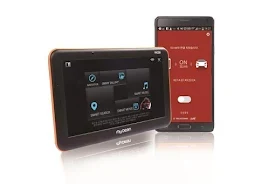
SLink is an Android app that connects your smartphone with your car's navigation system. Its main purpose is to move destination setting from the dashboard to your phone, so the route is ready when you start driving. The app also brings your stored media and phone notifications to the navigation screen, which is useful for drivers who want the phone and the car display to work together.
Setting a destination before you drive
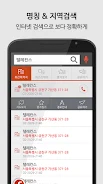
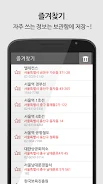
You can search for a destination on your smartphone before getting into the car. After you start the engine, SLink begins guiding you to the destination you entered on the phone. According to the app description, this means you do not have to wait for the navigation system to boot up, and you do not need to transfer destinations using SD cards or USB drives.
Media on the navigation screen
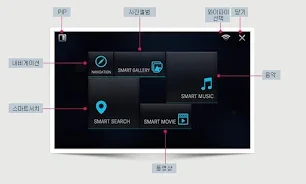
SLink provides a main menu with options for music, videos, gallery and smart search. You can play music and videos stored on your phone through the navigation display. The gallery supports zooming in on photos and running slideshows. A picture-in-picture mode is also described, which allows video and music to play while turn-by-turn guidance remains visible. Playback can resume from where you stopped after you restart the app.
Calls, messages and alerts
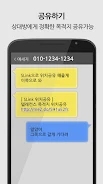
The app keeps the phone usable for calls and messages while the navigation screen is in use. Its listed alerts include SMS notifications that can be shown and read aloud with text-to-speech (TTS), KakaoTalk messages shown on the screen and read aloud, and Gmail notifications shown and read aloud. Incoming calls are displayed on the navigation screen with a "Driving mode" message, and Google Calendar events can be announced through TTS. SLink can also warn when the smartphone battery falls below 15 percent. A privacy mode is included to help protect personal notifications.
Startup behavior and compatibility
SLink can start automatically when the app is launched, and the description says it can enable tethering automatically. The developer states that the app is compatible with various navigation systems, but the description does not name specific models or brands, so drivers should confirm compatibility with their own head unit before relying on it.