


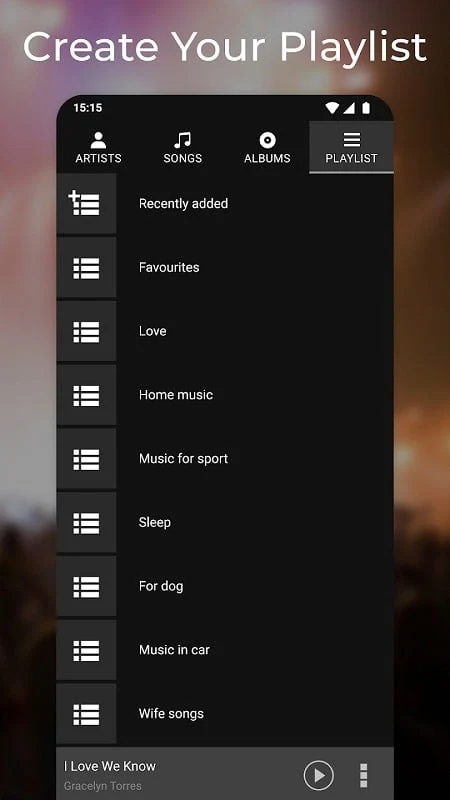
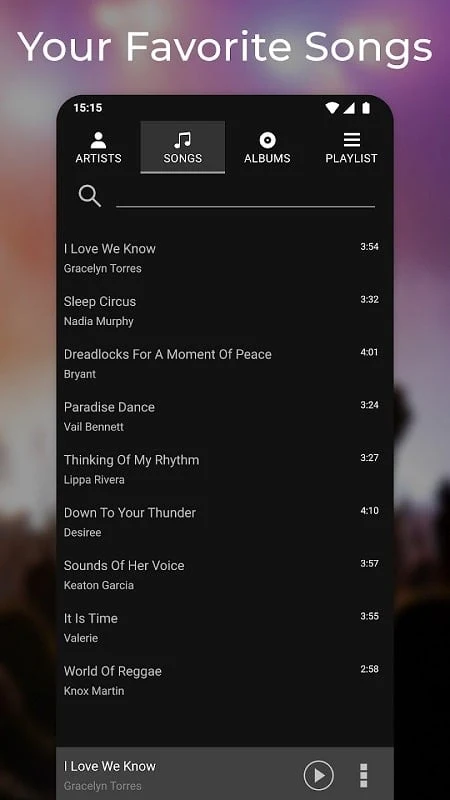
Simple Music Player is an Android music player for playing tracks on your device and organizing them into playlists and categories. Its library tools help users group songs by preferences such as genre, mood, or occasion, while search can locate songs, artists, and albums in the collection.
Organize and find music
Users can create multiple playlists for different listening contexts and arrange songs into categories. The description gives genres, moods, and occasions as examples of ways to group music. These options make the library easier to navigate without requiring every song to be part of the same listening queue.
A search feature is also described for finding a song, artist, or album within the library. It is intended to help users locate specific entries, including in larger collections. The source does not specify search filters or other search controls.
Playlists and offline listening
The app is described as allowing users to download songs from their music library to the device for listening without an internet connection. This offline option is presented alongside playlist management, so users can keep selected music available locally for listening away from a connection. The description does not explain where the music originates beyond the library or how downloads are managed.
The source also describes access to music on smartphones and tablets, with playlists and preferences synced across platforms. It does not provide details about the synchronization process or its requirements.
Adjust playback and follow lyrics
Built-in equalizer settings let users adjust bass, treble, and other sound parameters according to personal preference or the music being played. The app also has a lyrics display that can show song lyrics while listening. These tools relate to playback itself: one offers sound adjustments, while the other presents lyrics alongside a track.
Control listening in different situations
Playback can continue in the background, and the description says users can manage music while the device is locked. Home-screen widgets provide controls to play, pause, skip tracks, and adjust volume without opening the app. The source describes customizable widgets but does not specify their appearance or configuration options.
A sleep timer can be set for listening before sleep, and the app can also be used as an alarm clock to wake users with their favorite tracks. Together with background playback and the widget controls, these functions provide documented ways to manage a listening session without keeping the main app open.