
Overview
ShopSavvy helps shoppers identify products and compare purchasing options before committing to a price. Enter a keyword, UPC, or barcode to find the same product elsewhere, discover similar alternatives, and review listings from online and nearby local stores. Results can be compared using details such as price, expiration dates, and quality where that information is available. You can save products for later monitoring, receive alerts about significant price drops, and use the results when checking a store’s price-match policy. The app is intended for everyday shoppers as well as people who compare inventory, resale prices, or retail deals.
What You Can Do
⭐ Scan a product barcode to identify an item and look for comparable listings. This is useful when you are already in a shop and want to check whether the same product is available for less online or at another nearby retailer.
⭐ Search with keywords, UPC codes, or product names when scanning is not practical. The source recommends using a specific model number for more precise results and trying alternate product names when an item is difficult to find.
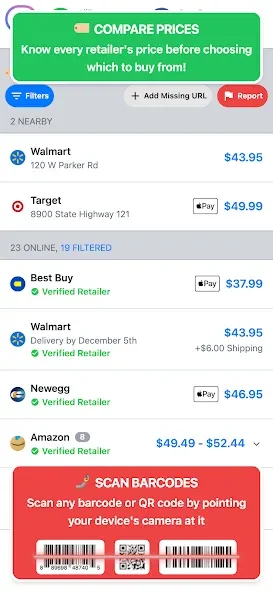
⭐ Compare prices across online and local stores. ShopSavvy is described as retailer neutral, so its results are intended to help you evaluate offers rather than direct you to one particular retailer.
⭐ Look for similar products when the exact item is too expensive or unavailable. A search can be used to find alternatives with a comparable appearance, giving you another way to stay within budget.
⭐ Save products to a watched list and monitor their prices over time. The app can notify you when a saved item has a significant price drop, which is useful when you do not need to buy immediately.
⭐ Scan QR codes as well as standard barcodes. The app also provides links to retailers, allowing you to review possible purchase options before travelling to a store.
Using the App
A typical workflow starts with scanning an item or entering a search term, then reviewing the product matches and available retailer offers. For more accurate results, begin with a model number or other specific identifier. If the first search does not return the expected product, try a different name or a broader term before narrowing the search again.
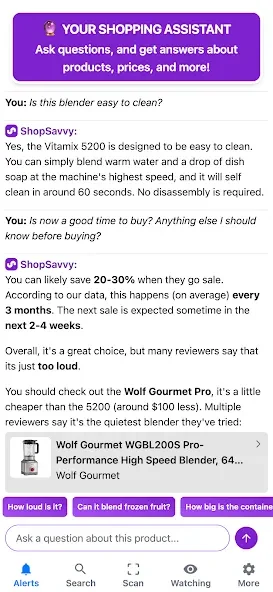
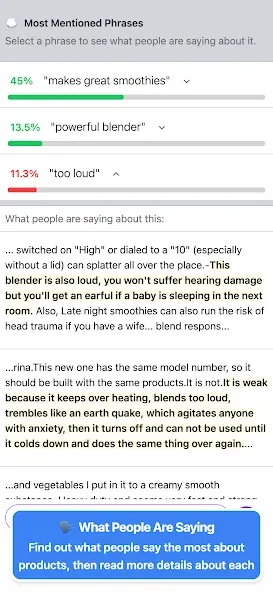
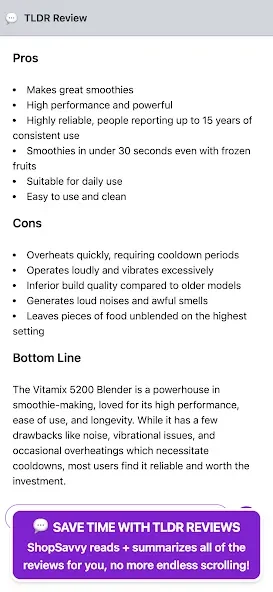
The search screen includes a Deals tab for browsing trending offers. The source also describes an assistant that works best through back-and-forth questions: you can ask about reliability, common issues, or cheaper alternatives, with responses drawing on review data. Saved products can be kept on a watched list so another person, such as a partner or contractor, can see what you are considering.
ShopSavvy can also support a price-match discussion at the register by helping you find a lower price to reference against a store’s own policy. The source describes the scanner as using machine-learning technology to recognize different barcode and code types quickly, although the actual results can depend on the product information available to the app.
Why It May Appeal
✅ It combines product lookup, price comparison, retailer links, and saved-item monitoring in one shopping tool.
✅ Searching both online and nearby stores can help you compare convenience, local availability, and listed prices before making a purchase.
✅ The retailer-neutral approach is useful for shoppers who want to review multiple sellers rather than start with a single store.
✅ Price-drop alerts can reduce the need to repeat searches manually when you are waiting for a better offer.
✅ The search and scanning workflow may also suit merchandisers, small resellers, and people identifying products from bulk lots, based on the use cases described in the source material.
Things to Consider
❎ Search quality depends on using sufficiently specific terms and on how products are named in different retailer listings. A generic search may produce less useful results, and some items may require several name variations.
❎ Comparing a listed price does not by itself confirm that an item is available, has the same quality or expiration date, or qualifies for a store’s price-match policy. Those details should be checked with the retailer before purchase.
❎ The supplied compatibility information lists Android 2.3.3 or later. The source does not provide further device, offline-use, or current service-availability details.