

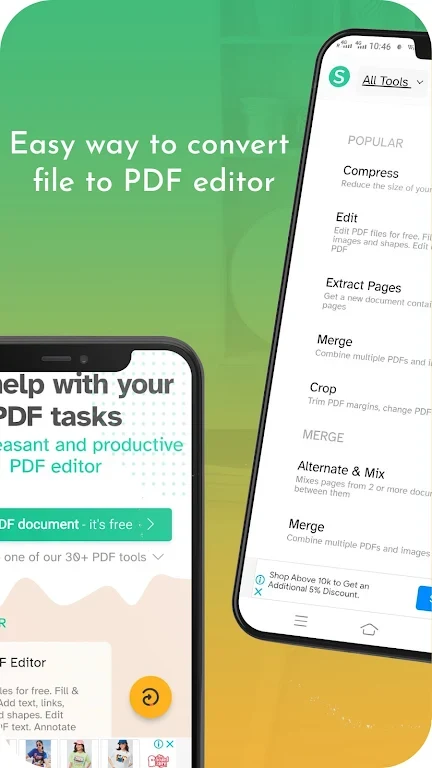

Sejda - PDF Editor helps users make practical changes to PDF documents without relying on a separate desktop editor. You can edit existing text, add images, annotate pages, complete forms, insert signatures, and adjust document pages from one application. Its broader file tools are useful when a document also needs to be merged, split, compressed, converted, or protected with a password. The built-in viewer supports document browsing, while offline access allows work to continue without an internet connection.
Editing and annotation tools
The editor supports changes to existing text as well as adding new text to a PDF page. Images can be inserted, moved, resized, and rotated. For review work, users can highlight text, mark passages with strikethrough, add shapes, and annotate pages. A find-and-replace function can update repeated words throughout a PDF, and links can be added or edited for web pages and locations within the document.
Forms, signatures, and saving changes
Sejda - PDF Editor can be used to fill out PDF forms and add a signature by drawing one, typing it, or uploading a signature image. After making changes, the editing workflow ends by selecting “Apply Changes” and saving the revised document. This brings text edits, visual markups, form completion, and signing together in a single document task.
Managing pages and file formats
Document organization tools allow pages to be reordered, rotated, or deleted. Multiple PDF files can be merged while preserving their order and formatting, while splitting by range or extracting selected pages can create smaller documents. The app also compresses PDFs to reduce file size and supports conversion between PDF and formats such as Word and images.
Offline access and usage limits
The source describes a modern interface, a built-in PDF viewer, and offline access for working without an internet connection. It also states that files are stored on the device and that personal data is not collected or shared. The free version permits up to three tasks per day, with each file limited to 50 MB and 50 pages. The app includes more than thirty built-in tools across its editing, conversion, organization, and protection functions.