

SecondScreen helps turn an Android phone into a more practical companion for a TV or monitor by adjusting the device to suit the connected display. It can change resolution and DPI, which may let a phone present an interface closer to an Android tablet and make better use of the external screen. The app also groups display and system preferences into profiles, making it useful for switching between different setups for work, browsing, games, or other content. Quick actions and home-screen shortcuts provide faster access when a full configuration change is not needed.
Profiles for different displays
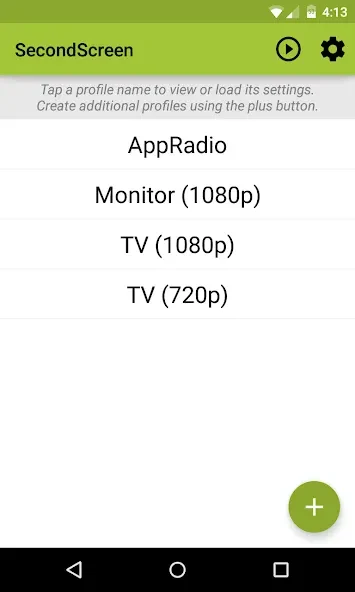
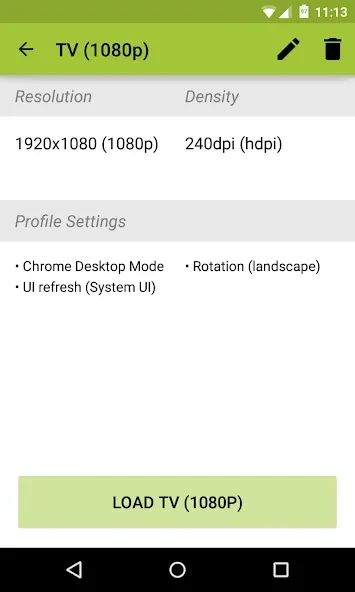
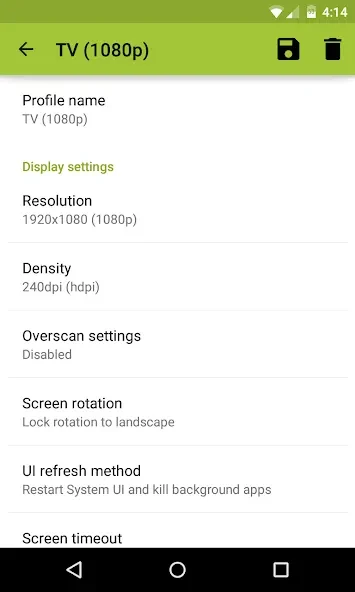
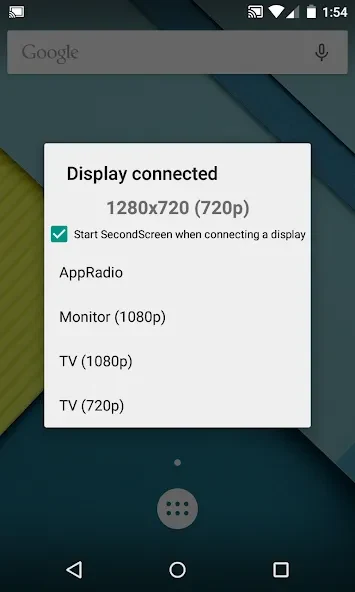
The profile-based interface lets users create separate configurations for different TVs, monitors, or activities. A profile can include display resolution and density settings, landscape orientation, and other supported system changes. Profiles can also load automatically when a display is connected, reducing the need to adjust the same options manually each time. Home-screen shortcuts launch a chosen profile with one tap, while Quick Actions run individual SecondScreen functions without creating or editing a profile.
Connection and system options
SecondScreen can automatically enable Bluetooth and Wi-Fi to help connect accessories such as a keyboard, mouse, or game controller. It can also enable Daydreams, set Chrome to show desktop sites by default, and lock the screen to landscape orientation. For older televisions, overscan support is available on Android 4.3 and later. System-wide immersive mode is supported on Android 5.0 and later, helping remove some system interface elements while the device is being used with an external display.
Display control and automation
The app provides controls for resolution and screen density so the external display can be used more effectively. It also integrates with Tasker, allowing supported profile and display routines to form part of broader device automation. When a display connection is detected, automatic profile loading can combine these settings with the appropriate setup without requiring the user to navigate through the app each time.
Battery and input considerations
SecondScreen can disable the device backlight and, where supported, vibration while the phone is connected, which may help reduce unnecessary activity. Backlight control is not compatible with every device. A Bluetooth keyboard and mouse are recommended in the supplied guidance because touchscreen controls can be difficult to use when interface elements appear smaller on an external display. The app also requires special permissions, so users should expect to review permission requests during setup.