


Sax Video Player helps you play videos stored on an Android device or SD card, including files in formats such as MP4, MKV, AVI, and WEBM. Its automatic file detection brings local videos together for playback, while adjustable brightness, volume, and playback speed let you change the experience as you watch. Options such as screen locking, aspect-ratio controls, and a pop-up player add flexibility for different viewing situations. The app also handles audio playback and includes tools for managing or sharing files.
Finding and organizing local media
The player automatically identifies video files on the device and its SD card, so users can browse their stored media without locating each file individually. Sax Video Player supports a broad selection of formats, including MP4, MKV, WMV, TS, 3GP, WEBM, AVI, and MOV. The source also lists FLV and OGG among supported types. Videos can be managed or shared from the app, and a private folder is available for keeping selected files apart from the main collection.
Controls for different viewing situations
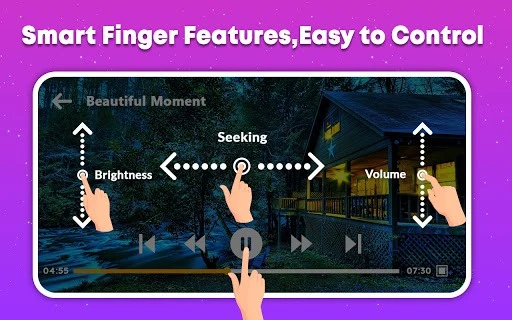
During playback, users can adjust volume, brightness, and playback progress. Additional options include changing playback speed, stretching the video, selecting an aspect ratio, and locking the screen to prevent accidental touches. Auto-rotation and continuous playback for a video list are also mentioned. A pop-up or picture-in-picture mode lets a video remain visible in a floating window, while the option to play media as audio suits listening when watching is not needed.
Subtitle and audio options
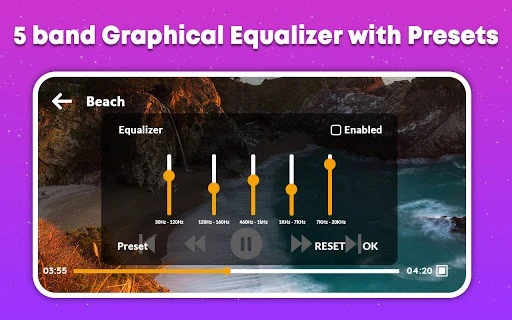
Sax Video Player includes a subtitle downloader and settings for adjusting subtitles and audio. These tools complement its format support by giving users options to customize playback for media with subtitle or audio tracks. The source also describes a built-in MP3 player, making the app useful for playing downloaded audio as well as video.
Scope and trade-offs
The app is described as using hardware acceleration and supporting both Android phones and tablets. Its private folder is presented as a basic file-privacy feature, not as a broader security guarantee. The supplied information notes that Sax Video Player is free and ad-supported, and describes the ads as frequent and intrusive. It also lists the absence of advanced video-editing tools and cloud-syncing support as limitations, so its focus is local playback rather than editing or synchronizing a media library online.