

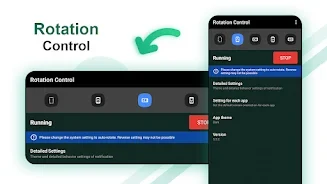
Rotation Control helps you manage a mobile device’s screen orientation by selecting portrait, landscape, or sensor-based rotation. It is designed for situations where the normal system rotation behavior does not provide the orientation you want, while also offering a quick way to change settings from the notification area.
Choose how the screen rotates
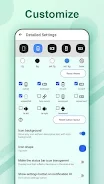
The app lets you set the display to a specific orientation, including portrait or landscape. You can also allow the device sensor to determine the orientation, giving you a choice between a fixed display direction and automatic rotation. The available orientation options can vary by device, so some settings may not be supported on every phone or tablet.
Apply settings for individual apps
Rotation Control can associate selected applications with particular screen-orientation settings. When an associated app starts, the chosen orientation can be applied automatically. This brings the orientation choice into the app-launch process instead of requiring you to change the display setting each time.
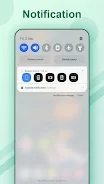
Access controls from the notification area
Orientation controls are available through the notification area, allowing you to reach the relevant settings while using the device. This provides another way to switch between supported display directions without navigating through the app each time.
Display overrides and troubleshooting
The app can force changes to the display orientation of running applications. Because this overrides how an application normally handles its display, some apps may become unusable or crash after the change. If fixing the orientation in the opposite direction of portrait or landscape causes difficulty, the supplied troubleshooting guidance recommends changing the system setting to auto-rotate.