


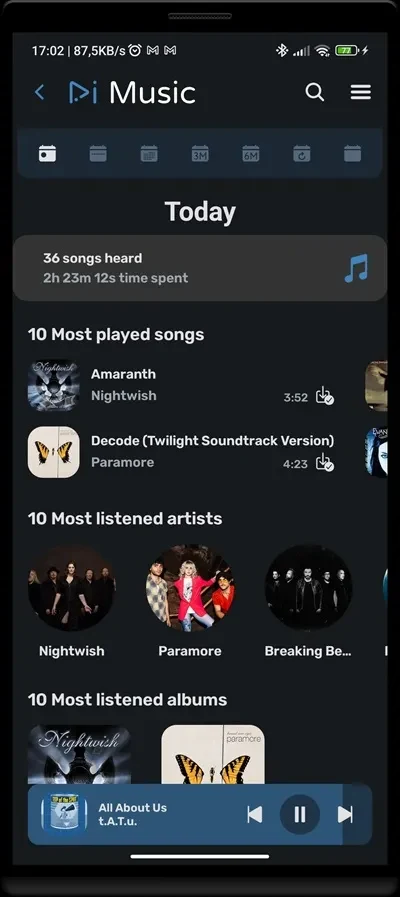
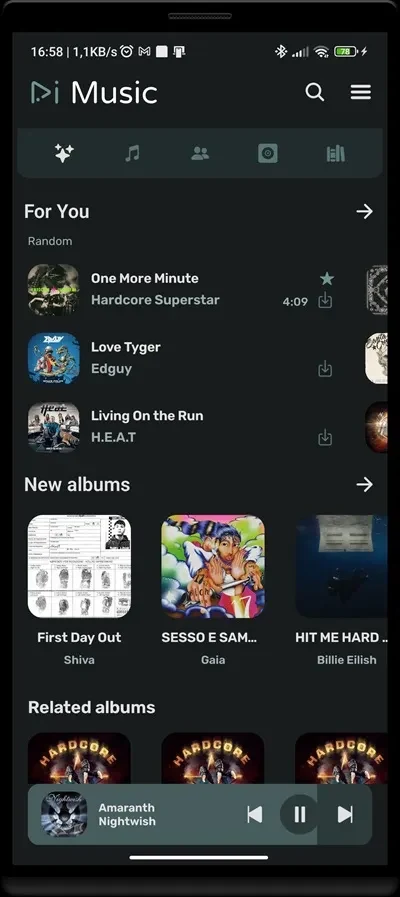
RiMusic is a music player for finding songs, organizing listening choices, and continuing playback when an internet connection is not available. It supports personal playlists, system-generated playlists based on preferred genres, downloadable tracks, multilingual use, and several ways to adjust the interface and music library.
When you want music arranged around your tastes
RiMusic lets you create personalized playlists instead of relying only on a general song list. You can also view playlists generated by the system according to preferred music genres. These two options support different ways of organizing listening: one is built directly by you, while the other is intended to help surface music connected with selected genres.
The app can organize songs by album or genre, which gives the library a more structured way to browse. This is useful when you want to locate music through its album or category rather than searching through an ungrouped collection. The source also describes search as suitable for finding both newer hits and classic tracks, with results intended to be fast and accurate.
When you need playback without a connection
Songs can be downloaded for offline listening from the download control beside a track. Once music has been downloaded, RiMusic can play it without an internet connection or mobile data. This supports situations such as flights, long journeys, areas with poor signal, and other times when a network connection is unavailable.
Offline playback can also apply to playlists that have been downloaded in advance. Preparing the music before leaving a connected location keeps the listening selection available during the journey, while imported songs provide another offline source within the app.
When your music is already stored on the device
RiMusic can import songs from local storage or an SD card and organize them for playback. This gives the app a role beyond finding streamed music: tracks already kept on the Android device can be brought into the same player and arranged by available album or genre information.
After songs are imported, they can be played without a network connection. This is separate from downloading tracks through the app, so users with an existing local collection have a documented way to access that music in RiMusic.
When you prefer a different listening setup
The app includes customization options for its appearance and playback experience. The source describes themes, layout choices, and playback controls, allowing the interface to be adjusted to personal preferences rather than using only one fixed presentation.
Sound settings can also be changed, and the music can be organized through album or genre views. Together, these controls address both how the player looks and how songs are located during playback. RiMusic is described as having a clean, user-friendly interface intended to keep navigation focused on music.
When language accessibility matters
RiMusic provides multilingual support, allowing people with different language preferences to use the app. This applies to the app experience rather than changing the language of individual songs. It makes the documented controls and navigation available to a broader range of listeners.
Starting playback without an account
The source states that RiMusic does not require registration or a subscription to begin listening. Users can open the app and start using its music playback functions without creating an account or subscribing to a paid period. This account-free setup is separate from the app's playlist, download, import, and customization tools.