
Remixlive 8.4.1 is an Android music-making app for creating original tracks and live performances without additional hardware. It combines loops, samples, beats, melodies, basslines, recordings, and sound effects in a grid-based workspace that can be used to assemble music directly on a smartphone.
Build tracks from loops and samples
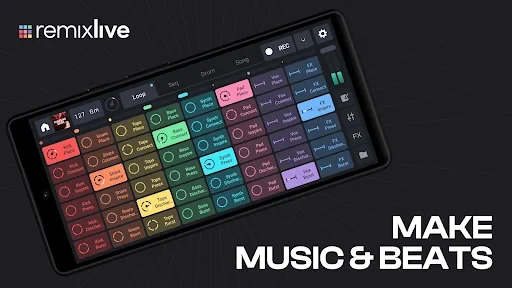
The main workspace uses an 8×6 grid of virtual pads. These pads can trigger samples, loops, and live recordings, while synchronized loops and sequences follow the selected tempo. Users can tap sounds to audition them, combine different musical elements, and arrange them into a complete track.
The available material covers components such as drums, beats, basslines, melodies, FX, and other samples. The source describes more than 180 sound packs, with each pack containing loops, samples, sequences, and a pre-made track. It also states that ten packs are available free and that additional content is created weekly.
Record and shape original sound
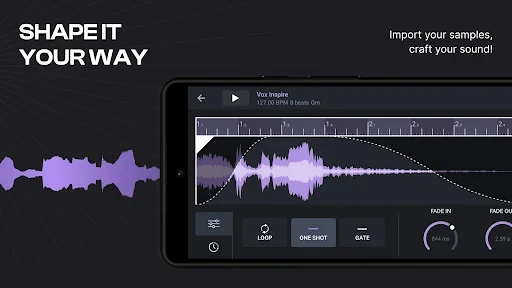
Remixlive allows users to record their own samples and loops for use in productions. This makes it possible to add original material alongside the built-in library rather than relying only on prepared sounds. The sample library is organized to help users find, tag, arrange, and play samples across different sound packs.
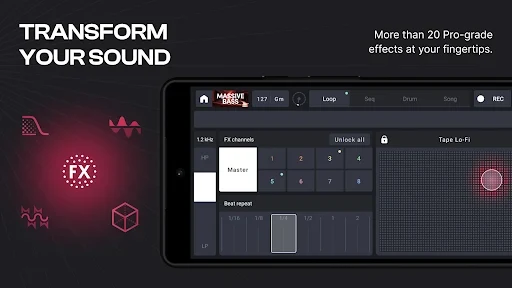
Sound can be adjusted with DJ-style effects, including filters, delays, beat repeats, reverb, and other effects identified in the source. Users can apply these effects to samples and loops while working on a mix. The app also provides controls for high and low tones, warmer tonal adjustments, background-music volume, and the overall sound level.
Arrange music through a visual workflow
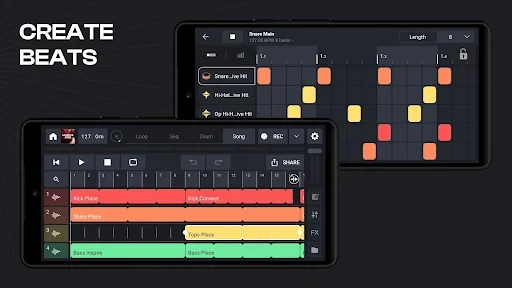
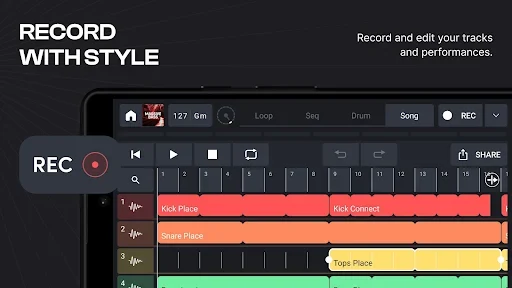
The music-making screen presents controls through touch-operated icons, so users can select pads, apply effects, and adjust sounds from the same interface. Audio clips can be arranged along a timeline and combined with templates to create synchronized sections. The workflow moves from selecting or recording individual sounds to organizing them into a finished composition.
The number of tracks shown on the sound panel can vary with the size of the smartphone screen. This allows the screen to function as a portable mixing surface, with the available tracks and sound controls visible in one place.
Perform with Live Set mode
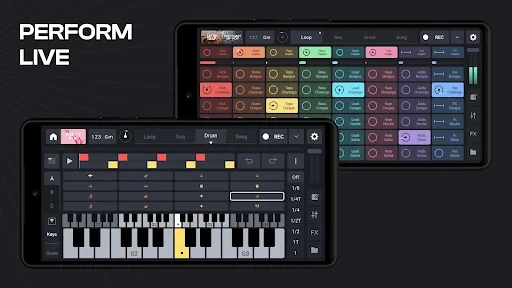
Live Set mode is designed for building a performance from musical elements in different projects. Users can combine samples from separate projects while keeping the music running, allowing sections to be mixed in a DJ-style performance. The source describes the elements as independently available for mixing.
Live Set mode can be enabled from the app settings. This setting is useful when the goal is to perform or mix material rather than only arrange a track for later listening.
Instruments, controllers, and sharing
The source lists virtual instruments such as piano, violin, and guitar among the available music-making tools. These can be combined with rhythmic and electronic material to create different arrangements. Remixlive also supports external MIDI controllers, allowing compatible controller hardware to operate the app.
Completed recordings and musical compositions can be saved on the smartphone and shared with friends or through social media platforms. The source also describes cloud synchronization for saving and syncing projects across multiple devices, as well as real-time collaboration with other users. These functions are presented as part of the app's project-sharing workflow.
Content and supported editions
The source describes the music packages as free to use and states that recordings can be shared without copyright-related removal concerns. Because the available content is organized into sound packs, users can select material by style and combine it with their own recordings. The source also mentions a Chromebook app and expanded loop and sample support, although specific device requirements are not provided.