
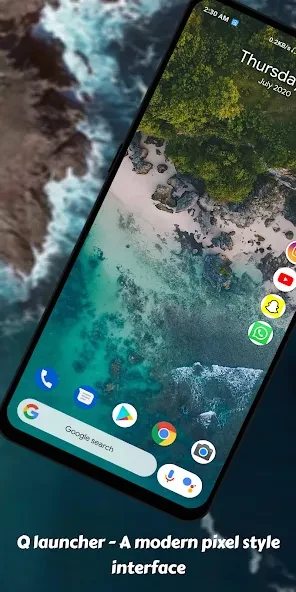
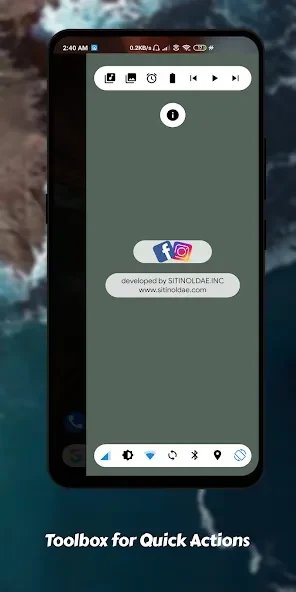
Q Launcher serves as a personalization tool that applies a pixel-style theme to Android devices running version 5.0 and above. It organizes the app drawer alphabetically from A to Z so users can locate applications without scrolling through long lists. Side-screen toggles provide direct access to settings such as mobile data, screen brightness, Wi-Fi, sync, Bluetooth, location, and auto-rotation. The launcher remains small in size and presents a clean layout that reduces visual clutter during everyday use.
Pixel Theme and Unified Icons
The pixel-style theme applies a consistent visual treatment across the home screen and drawer. All app icons receive the same unified appearance, which creates a uniform look without requiring separate icon packs. This approach suits users who prefer a retro aesthetic while maintaining readability on modern displays.
Gesture Navigation and Side Toggles
Supported gestures include swipes in four directions and long-press actions that can be assigned to common tasks. These inputs work together with the side-screen panel, letting users adjust connectivity and display options without opening the full settings menu. The combination keeps routine adjustments within reach during active use.
Grid, Dock, and Status Options
Users can adjust the drawer grid size to control how many icons appear on each screen. The dock background can be customized separately, and the status bar may be hidden for a fuller view of the wallpaper. A built-in browser and news feed are also included for quick information access without switching to other applications.
Limitations Noted by Reviewers
Some users report that desktop customization remains limited compared with other launchers, noting the absence of a widget drawer and icon editor. One reviewer mentioned that the placement of social apps on the right side of the screen felt inconvenient and suggested moving them to the dock area. These observations indicate areas where further refinement could improve flexibility.