

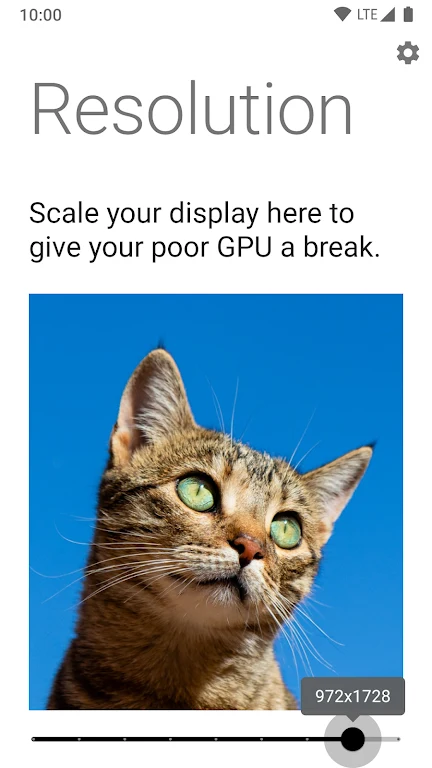
Purr — Rootless Resolution Cha is a utility app for Android that lets users change their device's screen resolution without rooting it. According to its listing, the app is aimed at users who want to adjust resolution for gaming, battery use, or visual clarity without entering manual commands or obtaining root permissions.
Rootless resolution changes
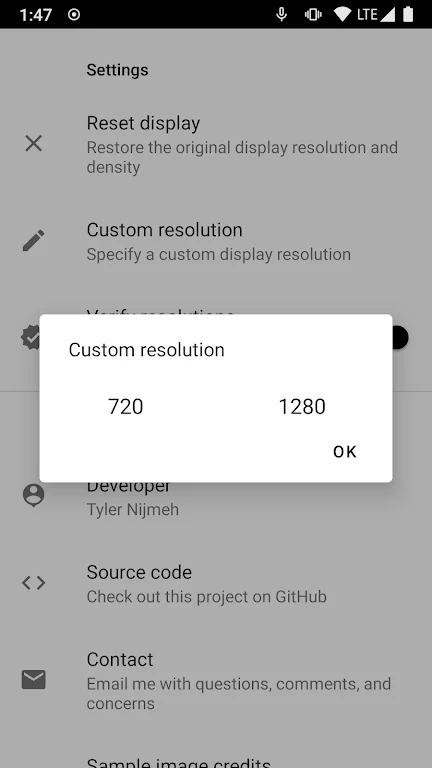
The listing says Purr uses ADB authorization and Android SDK reflection to apply resolution changes. This is presented as a way to avoid the more complex manual command process and the need for root access. The app also supports custom resolution values entered by the user, so people who want more control over their display can set the exact values they prefer.
DPI handling and compatibility checks
Changing resolution also changes the display's DPI (dots per inch), which affects how icons, text, and menus look on screen. According to the description, Purr calculates DPI values for a new resolution automatically, so that elements stay proportional rather than appearing oversized, blurry, or distorted. The app also states that it verifies a resolution before applying it, which the listing presents as a way to reduce the risk of an unresponsive screen. The description notes that such a problem could otherwise require a factory reset to fix.
Optional root mode and custom values
Purr is described as designed to work without root, but it also includes an optional feature for rooted devices. The listing says rooted users can apply resolution changes directly, without granting ADB permissions, which may be useful for people who change their display settings often. Users who do not root their devices can still use the app's standard, non-rooted approach.
Suggested ways to use resolution changes
The listing suggests several practical uses. Lower resolutions may help with graphically demanding games, while higher settings may suit photo editing or sharper visuals. Reducing resolution may also extend battery life during intensive tasks. The description recommends testing several values, saving preferred settings as presets for different activities such as gaming or media viewing, and avoiding frequent large changes, since excessive adjustments may make the device feel sluggish.
Interface and project details
The app's interface includes a playful cat logo, which the listing mentions as part of the user experience. The description states that Purr's source code is available on GitHub for users who want to inspect it or compile it themselves. It also says the developer provides support by email and Telegram. The listing shows version 1.3 in the Tools category.