
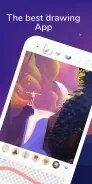
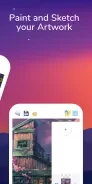
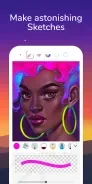
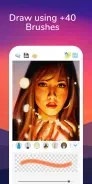
Pro Create & Paint is an Android painting app for sketching, illustration, and creating finished artwork. It combines adjustable brushes and layer-based editing with color tools and export options, including formats that can preserve layers for further editing.
What brush tools and controls are available?
The brush options include pixel, watercolor, airbrush, ink, and texture brushes. Brush settings can be adjusted for properties such as opacity, flow, and jitter, and customizable presets let artists save configurations. A smoothing mode is also available for cleaner lines. On compatible stylus devices, users can assign pressure and tilt responses, change brush-tip shapes, and import textures.
How does the app handle layers and effects?
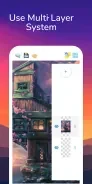
Layers appear in a thumbnail strip and can be reordered or made visible or hidden. The layer system includes grouping, masks, clipping groups, and per-layer opacity. Non-destructive effects include blur, sharpen, and blend modes, along with adjustment layers for hue, saturation, and curves. These tools support compositing and revisions while keeping the original pixels unchanged when using the described non-destructive adjustments.
What controls support drawing and color work?
The interface has a top bar for common actions and contextual side panels for additional controls. Drawing gestures include pinch-to-zoom, two-finger panning, and double-tap to undo. Color features include a picker, gradient editor, and palette manager. Users can save custom palettes, import swatches from images, lock colors, and refer to a history timeline of recent swatches. Gradient options include linear, radial, and noise-based types.
Which project and export options are described?
Projects can be exported as PNG or JPG images, or as PSD files with layers preserved for desktop editing. The description also lists flattened-image export, social sharing for progress snapshots, and packaged project exports that retain layers and assets for collaborators. A built-in file browser is described with project autosave and version history. Cloud sync options are available for backing up work and transferring files between devices.
What devices and performance settings are mentioned?
The app is described as supporting many styluses and tablets that use Android stylus APIs and pressure sensitivity; compatibility may depend on the device. Its listed performance features include multi-core rendering, GPU acceleration, and memory-conscious caching. Canvas resolution and brush sample rates can be adjusted to balance performance and quality. The supplied information does not specify a minimum Android version.