

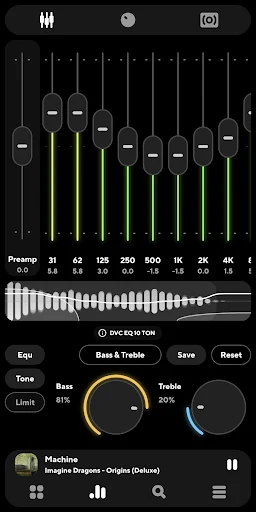
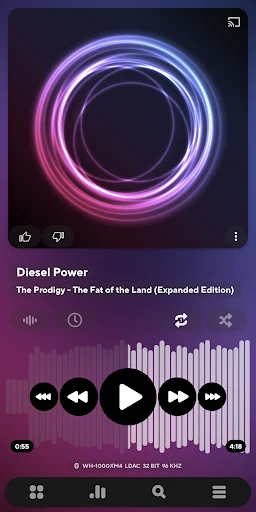
Poweramp Music Player helps users manage and refine music playback on Android devices by providing precise audio adjustments and organized library access. The app supports numerous formats including mp3, mp4, wav, mpc, and others, which allows listeners to handle files from varied sources without conversion. A 10-band graphical equalizer works across all supported formats, with separate bass and treble controls plus stereo expansion, mono mixing, and balance settings that reduce distortion while tailoring output to personal preferences. Crossfade and gapless playback options further smooth transitions between tracks, and the sleep timer enables timed listening sessions without manual intervention.
Equalizer and Output Adjustments
The equalizer includes presets alongside custom options, and users can load AutoEQ profiles matched to specific headphones. Settings for high-resolution output and USB DAC support let compatible devices maintain higher sample rates and bit depths, while Direct Volume Control maintains consistent levels. These tools integrate with device-specific output choices so the same preset can switch quickly when moving between wired headphones, Bluetooth, or external hardware.
Library Browsing and Organization
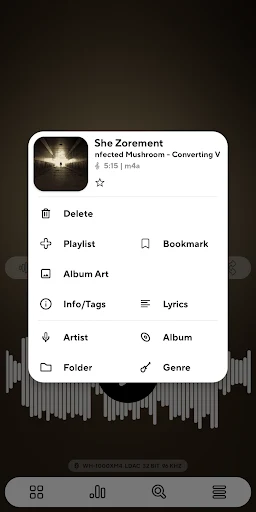
Poweramp Music Player scans designated folders after storage permission is granted and builds a library viewable by albums, artists, genres, or folders. Track tags and artwork can be edited directly in the app, and existing playlists import to preserve prior ordering. Short tracks can be filtered from notifications and other lists, keeping the main view focused on intended content.
Playback Flow and Queue Management
Tracks move from library or folder views into a dynamic queue for immediate or later playback. Gapless and crossfade settings apply across the queue, and repeat functions handle single songs or entire selections. Headset button mapping, widgets, Android Auto, and Chromecast extend control to external interfaces without leaving the core player.
Lyrics Access and Interface Options
Lyrics display through the musiXmatch plugin so users can follow along during playback. Skins and themes alter the visual layout, while album art backgrounds can be set to default blur, more blur, solid color, or none with adjustable intensity. These appearance choices operate independently of the audio processing chain.