
PixelLab - Text on pictures apk is an Android image-editing application focused on creating customized pictures, posters, quotes, and other text-based designs. Its tools combine editable text objects with 3D styles, fonts, colors, shapes, stickers, images, backgrounds, drawing controls, and image adjustments. You can begin with an existing picture, use supplied assets and templates, or build a design around text and graphic elements.
Text objects and typography
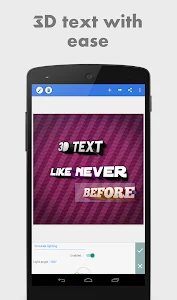
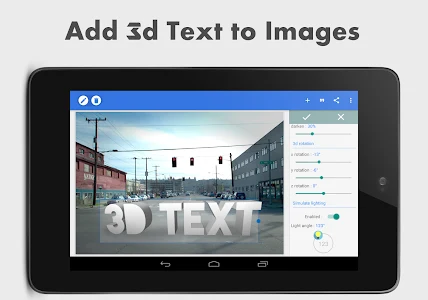
The app lets you add and edit multiple text objects within one design. This makes it possible to place separate words, captions, statements, or quotations in different positions and adjust them individually. Text can be given a three-dimensional appearance and positioned over images for poster-style compositions or visual quotes.
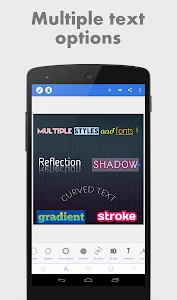
Several text effects are available for changing the appearance of lettering. These include shadow, inner shadow, stroke, background, and mask controls. The effects can be combined to create different treatments for the same text, so a design can use contrasting outlines, depth effects, or a distinct background behind selected words.
Typography can also be changed through a collection of hundreds of fonts. The available styles include hand-picked typefaces with different visual appearances, allowing you to choose a font that suits the wording and overall design. Text coloring provides further control through Hex, CMYK, and RGB color options, along with fill settings, gradients, and opacity adjustments.
Graphics, stickers, and ready-made material
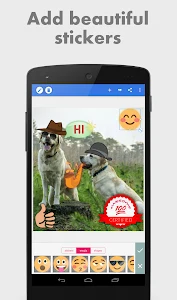
PixelLab - Text on pictures apk includes sample 3D text, shapes, stickers, emoji, and other graphic elements that can be placed into a composition. These additions can be used alongside quotations or statements to emphasize particular parts of a design. The application also provides images that can be added to text-based work.
You can use images supplied within the app or import editing material from the device's storage. This gives a design the option of combining local pictures with the application's built-in resources. The app also includes meme presets, which provide prepared layouts for creating meme-style images without having to assemble every text and graphic element from the beginning.
Drawing and background controls
A smartpen tool supports freehand work with a selected pen or with your finger. It can be used to write directly or draw shapes and other marks as part of the image. This adds a manual editing option alongside the app's text, sticker, and shape tools.
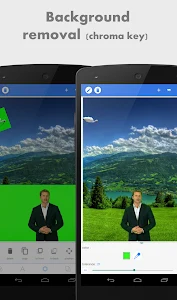
Background images and visual effects can be adjusted separately from the lettering. You can choose a different background image, change its direction, and apply blur effects. These controls are intended for modifying how the background works with the foreground text and can help separate the writing from the image behind it.
Image editing and output
The image editor provides additional adjustments for changing the look of the picture used in a design. Listed controls include vignette, stripes, and saturation, as well as other image-editing settings. These tools can be applied while refining the picture around the text and graphic elements.
When an edit is complete, the result can be exported in a format selected by the user and shared through Quick Share options to social media channels. PixelLab also supports saving the finished work in different formats. In addition to the rendered image, the complete editing project can be saved as a single file on the device.
Keeping the project file allows an earlier design to be opened again for review and further changes. This is useful when the text, image, colors, or effects need to be adjusted after the initial export rather than recreated from the beginning. The supplied description recommends using the application on a large-screen smartphone or tablet for a more comfortable editing experience.