

Perfect Piano turns an Android device into a virtual piano for playing songs, practising, and recording performances. Its on-screen keyboard has 88 keys, with single-row and double-row layouts and an adjustable width to suit different screens. The app also includes instrument sounds, learning guides, practice controls, and ways to play with other people.
What keyboard layouts and playing controls are available?
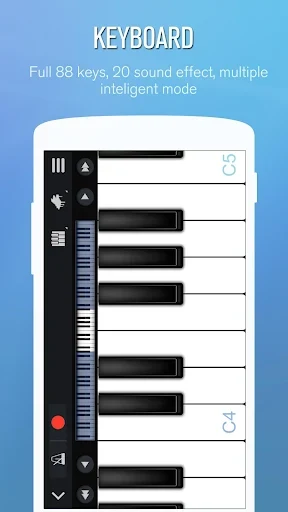
The keyboard can be shown in a single-row or double-row arrangement, and its width can be adjusted. These options change how the keys fit on the device screen; the source describes the two layouts as useful for different screen sizes and playing styles. Multitouch support lets a player press more than one key at a time, which is relevant for playing notes together rather than tapping one key at a time.
The app provides a touchscreen option as well as support for connecting an external keyboard through USB MIDI. That connection allows users to play with a physical MIDI keyboard instead of the on-screen keys. The description also refers to connecting through a MIDI port. It does not specify which external keyboard models are supported.
Which sounds can you play?
Perfect Piano includes multiple keyboard and instrument sounds. Named options include Grand Piano, Bright Piano, Music Box, Pipe Organ, Rhodes, and Synthesizer; the description also mentions electric piano and glockenspiel sounds. Players can switch among these options while using the virtual keyboard, giving them different timbres to explore. The app also describes its piano sound as having a realistic timbre, though this is a product description rather than an independent assessment.
A built-in metronome and beat-counting feature are available for timing practice. These sit alongside the keyboard sounds, so the app covers both playing notes and working with rhythm. The source does not detail further metronome settings, so the extent of its controls is not specified.
How does the song-learning mode guide practice?
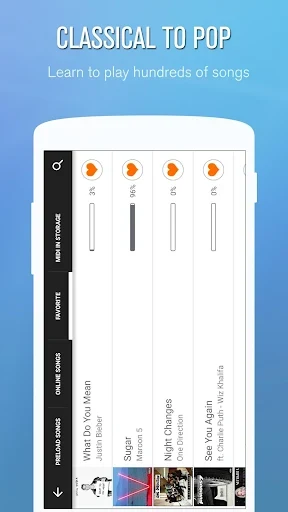
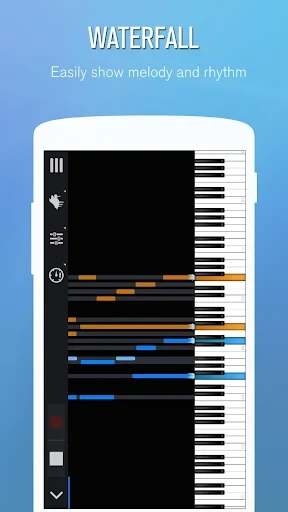
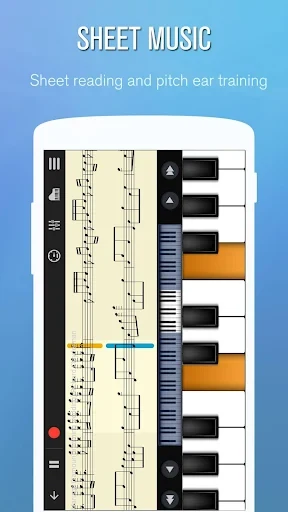
For guided practice, the app offers three ways to follow music: falling notes, waterfall-style guidance, and sheet music on a stave. The description says the song collection includes material at different difficulty levels, but does not give a consistent total, so no specific library size is stated here. This combination of note guides and notation gives learners more than one format for following a piece.
Practice controls include automatic play, semi-automatic play, and a note-pause mode. Users can adjust speed and difficulty, set up left- and right-hand parts, and use an A-to-B loop. Together, these controls are relevant for working through a selected section, following one hand, or practising at a chosen pace. The source does not describe a separate curriculum or a required sequence of lessons.
Bubble and waterfall modes are also mentioned as ways to play with visual guidance. The app’s description presents them as interactive alternatives to conventional keyboard practice; it does not specify additional rules or scoring for bubble mode. Users interested in following a melody visually can consider these alongside the falling-note and sheet-music guides.
Can you record and reuse a performance?
Performances can be recorded, with the original description noting that recordings can be saved to the device’s memory. Recording can be used for music played on the touchscreen, and the description also refers to composing with an external MIDI keyboard. It states that external-keyboard performances can be converted into MusicXML notation, a format used for digital sheet music. The source does not explain the file-management or editing controls, so their details cannot be confirmed here.
Recording and playback are also described as ways to review a played piece. This may be useful when a player wants to listen back to a performance, while MusicXML conversion is specifically associated with performances made using an external MIDI keyboard. These are separate capabilities in the supplied description, and it does not say that every recording is automatically converted to notation.
What options are there for playing with other people?
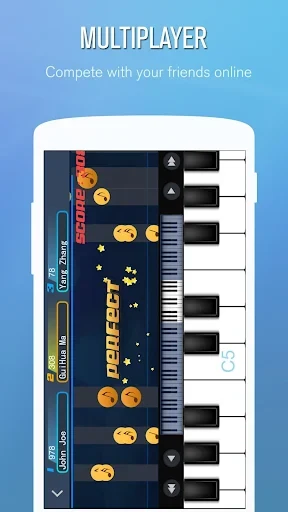
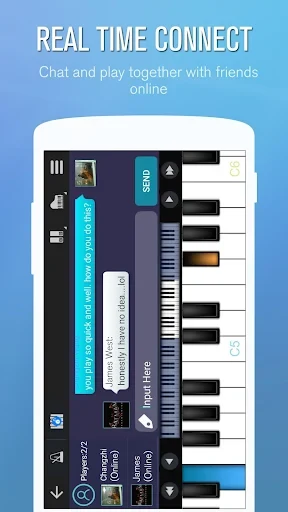
The app describes online piano rooms where users can play alongside other people, compete for high scores, and interact through a built-in chat. It also mentions online play with friends. These features are aimed at shared playing and score-based competition; the source does not provide details about room access, matching, or how scores are calculated.
For in-person use, a face-to-face mode allows two people to play on the same device. This differs from the online rooms, since both players share one device rather than connecting remotely. The app also mentions sharing songs or results with friends on social networks, but does not specify which services are supported.
What should touchscreen players keep in mind?
The supplied description notes that the touchscreen keys can be very sensitive, which may make accidental notes easier to play. Users choosing the on-screen keyboard should take this limitation into account, particularly when aiming for precise note placement. Connecting a USB MIDI keyboard is another described way to play, though the source does not list compatible models or connection requirements.